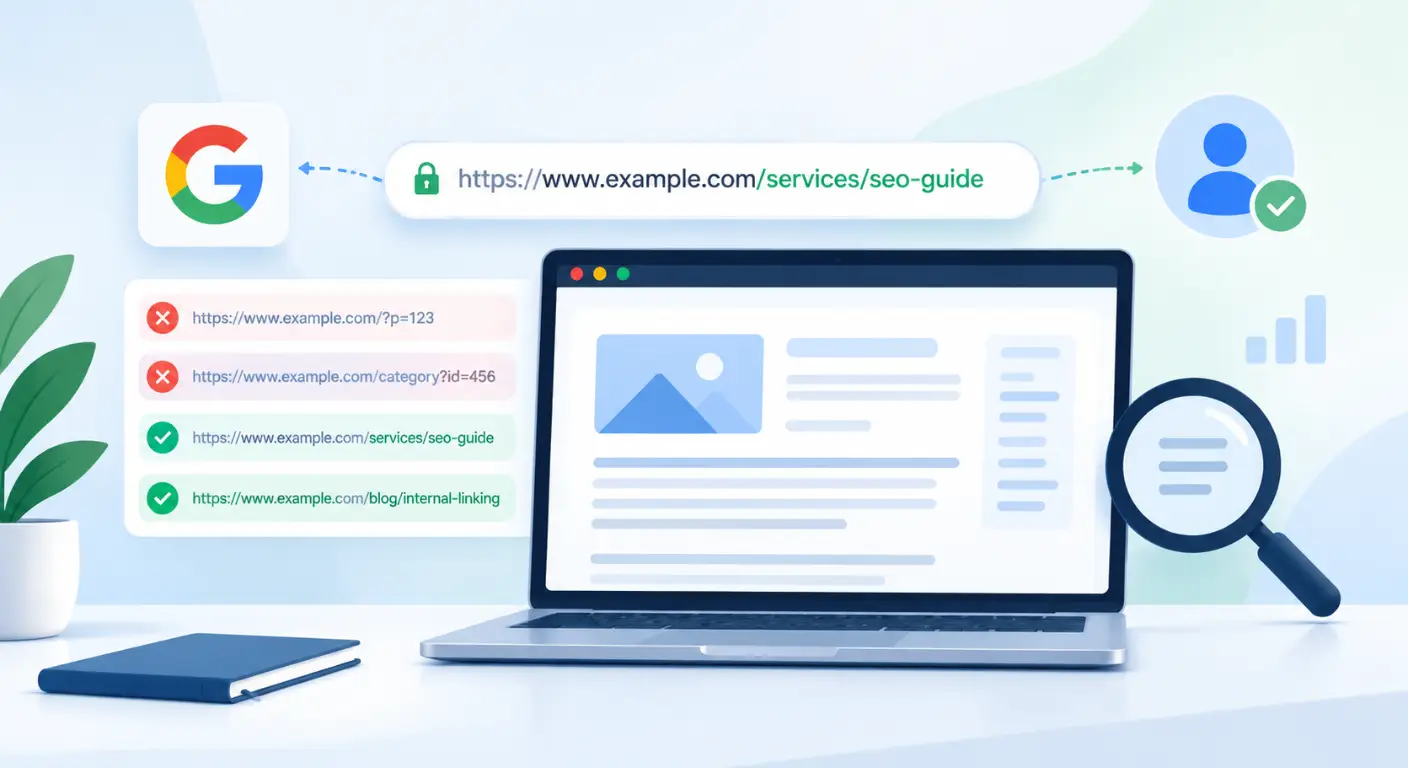
Most website owners, marketing managers, and even SEO specialists rely almost exclusively on tools like Google Search Console (GSC) or third-party crawlers (Ahrefs, Semrush, Screaming Frog) to evaluate site health.
While these platforms provide valuable high-level summaries, they operate on sampled, estimated, or simulated data. They show you what search engines report or what an external tool simulates, not what search engine crawlers are actually doing on your web server in real time.
This gap creates a dangerous blind spot. You might publish high-value landing pages, fix on-page meta tags, and build external backlinks, only to find that your new content takes weeks to get indexed or completely stalls in search rankings.
The underlying culprit is often invisible in GSC dashboards: Googlebot is wasting its daily crawl capacity on parameter traps, dead URLs, or hidden redirect loops long before it ever reaches your money pages.
This is where Log File Analysis becomes your most powerful competitive advantage.
In This Guide: What Are We Going to Cover?
Here is what we will cover step-by-step to help you extract true search engine intelligence from your raw server files:
What How Web Servers & Search Engine Crawling Interact (Understand the physical relationship between your website, your hosting server, and search engines)
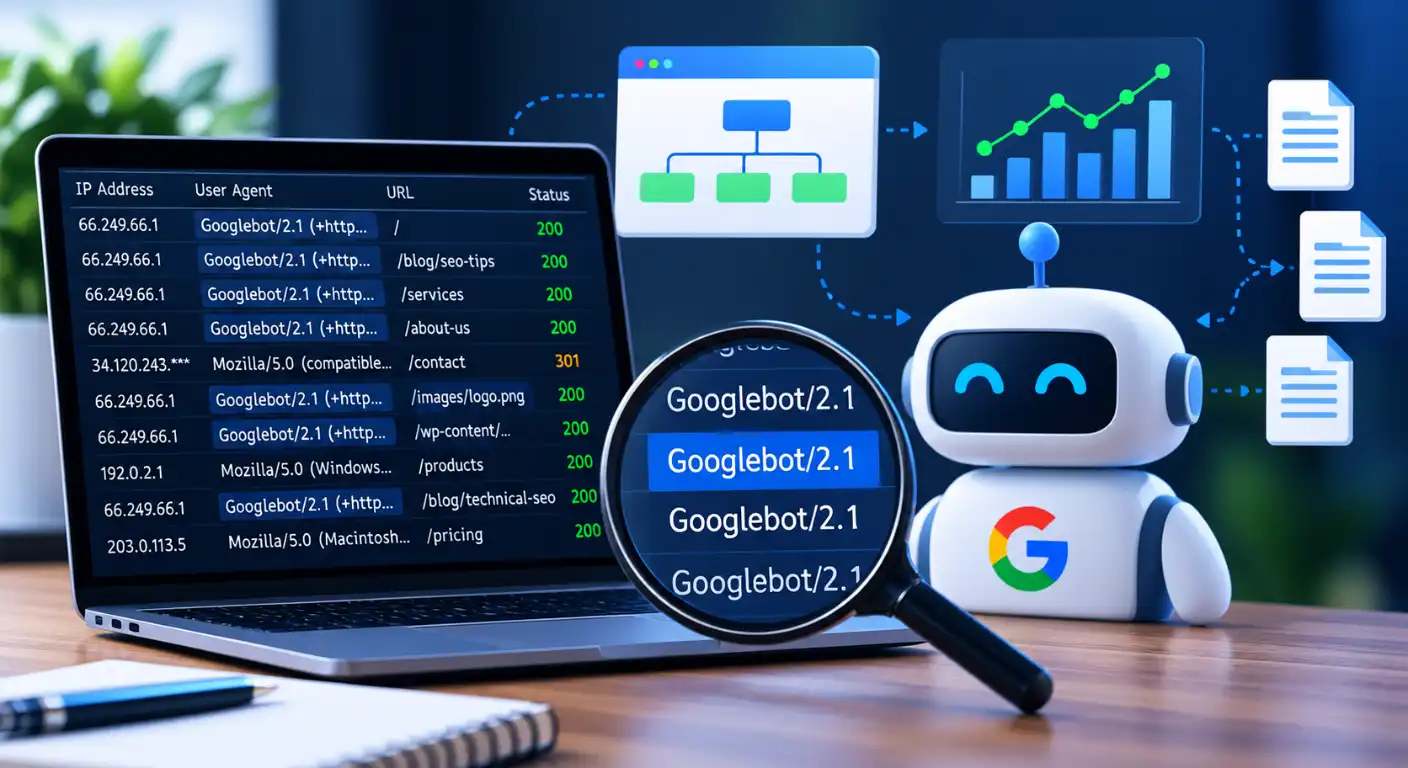
What a Server Access Log Actually Contains: Decoding Nginx and Apache log syntax (IPs, response bytes, and request paths).
Bot Verification Mechanics: How to run reverse DNS lookups (
rDNS) to separate genuine Googlebot hits from fake scrapers and AI bots.Core Metrics & Diagnostic Workflows: Identifying crawl frequency drops, parameter waste, orphan pages, and un-cached 5xx spikes.
E-Commerce & Enterprise Applications: Monitoring large 301 migrations, dynamic JavaScript rendering, and faceted crawl loops.
The Log File Diagnostic Toolset: How to parse log files using command-line scripts (
grep/awk), desktop tools (Screaming Frog), and enterprise aggregators.Actionable Step-by-Step Audit Framework: A 4-step workflow to clean raw data, isolate issues, and restore crawl efficiency.
How Web Servers & Search Engine Crawling Interact
To understand log file analysis, you first need to understand the physical relationship between your website, your hosting server, and search engines like Google.
Many website owners view SEO as something that happens purely on search engines or inside CMS plugins. In reality, SEO starts at the infrastructure level.
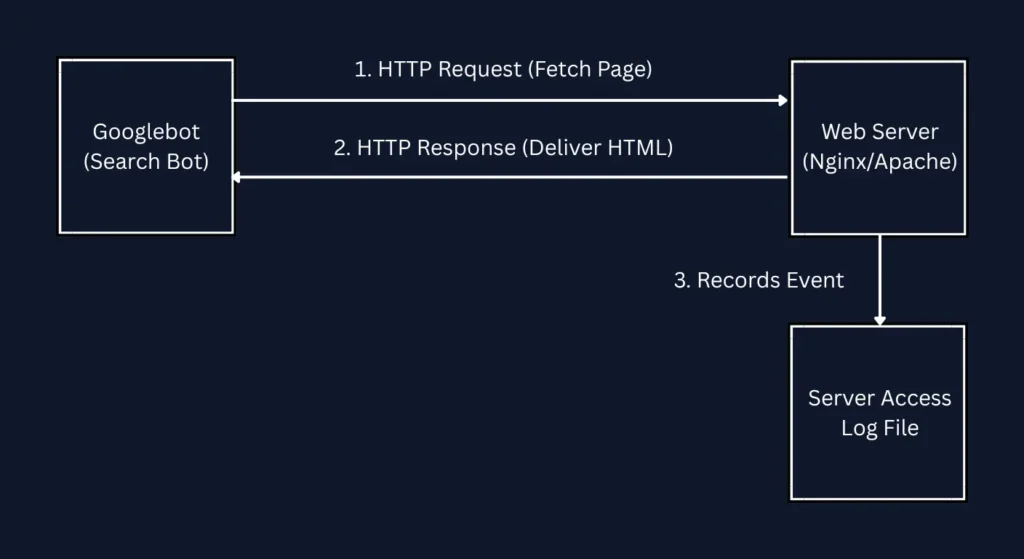
The 3-Step Lifecycle of Every Crawler Visit
The Request: When Googlebot wants to discover or re-index a page on your site, it doesn’t visit your website through a browser interface like a human. Instead, it sends an automated HTTP Request directly to your web server (Nginx, Apache, or LiteSpeed).
The Processing: Your web server receives the request, processes the application code (e.g., PHP, database queries, static HTML), and sends back an HTTP Response containing the page content and status code headers (e.g.,
200 OK).The Unedited Record (Log Creation): The moment your server finishes delivering that response, it automatically generates a single line of data documenting the exact transaction.
This accumulated file of raw transaction records is your Server Access Log.
Because your web server sits at the absolute entry point of your hosting infrastructure, it records every single bot interaction unfiltered, long before any analytics scripts, tracking pixels, or Search Console dashboards ever process the data.
Why Googlebot’s Server Footprint Is Different From Human Traffic
Human visitors browse a few pages via Chrome or Safari, triggering JavaScript analytics tags (like Google Analytics).
Googlebot, however, is a high-frequency automated system designed to discover thousands of URLs per minute. It bypasses frontend visual rendering on its initial pass, requesting raw server files directly.
Relying solely on frontend tools leaves you blind to how crawlers consume your server resources. Log file analysis is simply the practice of reading those raw server records to map Googlebot’s exact behavior, request volume, and crawl patterns across your domain.
What a Server Access Log Actually Contains
To the untrained eye, a raw server access log looks like an intimidating wall of plain text. However, once you break down a single line of text, you realize it is just a highly structured database record of every single request made to your server infrastructure.
Most modern web hosts (Nginx, Apache, LiteSpeed, OpenLiteSpeed) generate access logs using the Common Log Format (CLF) or Combined Log Format.
Anatomy of a Log Entry (Nginx / Apache Common Log Format)
Here is an actual raw line from an Nginx server access log when Googlebot visits a website:
66.249.66.1 - - [01/Oct/2026:14:32:10 +0000] "GET /blog/technical-seo/ HTTP/1.1" 200 14520 "-" "Mozilla/5.0 (compatible; Googlebot/2.1; +http://www.google.com/bot.html)"
Let’s dissect each field and examine its direct technical SEO utility.
1. Client IP Address (66.249.66.1)
What it is: The network IP address of the device making the request.
SEO Utility: Essential for running Reverse DNS Lookups (
rDNS). Scrapers frequently fake Googlebot user-agent strings, but matching the request against Google’s verified IP ranges separates authentic Googlebot traffic from fake bots.
2. Timestamp & Timezone ([01/Oct/2026:14:32:10 +0000])
What it is: The exact millisecond the server processed the request.
SEO Utility: Cross-referencing timestamps against server load logs (CPU/memory spikes) reveals whether intense Googlebot crawl activity triggers intermittent server crashes or gateway timeouts.
3. Request Method & Target Path (GET /blog/technical-seo/ HTTP/1.1)
What it is: The HTTP verb used (
GETto fetch data,POSTto send form data) and the exact URL string requested.SEO Utility: Surfaces hidden URL parameter bloat (e.g.,
/shop?color=red&size=xl&sort=price), internal search query URLs, or old broken paths that waste daily crawl budget.
4. HTTP Status Code (200)
What it is: The server response header returned to the crawler.
SEO Utility: Tracks whether crawlers receive clean success signals (
200 OK), permanent canonical redirects (301), missing page errors (404/410), or server crashes (500/502/503). (For header fix protocols, see my HTTP Status Codes & Server Accessibility Guide).
5. Bytes Transferred (14520)
What it is: The exact size of the payload delivered to the crawler (in bytes).
SEO Utility: A sudden drop in byte count on a
200 OKpage indicates a Soft 404 or a broken dynamic template delivering an empty page to search engines.
6. User-Agent String (Mozilla/5.0 (compatible; Googlebot/2.1...))
What it is: The self-reported identity string sent by the visiting client.
SEO Utility: Differentiates between Googlebot Smartphone, Googlebot Desktop, Bingbot, and AI web scrapers.
CDN / Edge Logs vs. Origin Server Access Logs
Modern enterprise websites route traffic through Content Delivery Networks (CDNs) like Cloudflare, Fastly, or AWS CloudFront. This architecture splits logging into two distinct infrastructure layers:
Origin Server Logs (/var/log/nginx/access.log / AWS EC2)
Scope: Only records requests that actually reach your hosting server.
The Blind Spot: If Cloudflare serves a cached HTML document or static asset directly from its edge network, your origin log will not record that Googlebot request. Relying solely on origin logs can make your site appear under-crawled.
CDN / Edge Logs (Cloudflare Logpush / AWS S3 Edge Logs)
Scope: Records 100% of all crawler requests, whether served directly from edge cache or proxied back to the origin server.
SEO Utility: Provides the absolute truth regarding total Googlebot request volume, edge caching hit-ratios, and WAF rate-limiting blocks before traffic reaches your application.
Bot Verification: Isolating Genuine Search Crawlers from Spoofed Scrapers & AI Bots
When reviewing server logs, one of the most dangerous traps is assuming that every log entry claiming to be “Googlebot” is actually Google.
Because the User-Agent string in a log file is just a self-reported line of text sent by the visitor, anyone can copy Googlebot’s User-Agent string and send requests to your server. This technique is known as User-Agent Spoofing.
The Spoofed User-Agent Trap: Why Malicious Scrapers Impersonate Googlebot
Why do malicious scrapers, unauthorized data harvesters, and aggressive SEO competitor tools pretend to be Googlebot?
Bypassing Web Application Firewalls (WAF): Most security systems (like Cloudflare or Wordfence) allow Googlebot to crawl freely so your SEO isn’t hurt. Scrapers fake their identity to bypass these security rules.
Evading Rate Limits: Hosting servers limit how many requests a normal user can make per minute. Fake bots pretend to be Googlebot to make thousands of requests without getting blocked.
Consuming Server Resources: Fake crawlers burn your server’s CPU and bandwidth. This slows down your site for real users and deprives the actual Googlebot of crawl budget.
Reverse DNS Lookup (rDNS) Mechanics: Verifying Real Hostname Origins
To verify whether a crawler is authentic, you cannot trust the User-Agent text. You must check its IP Address using a process called Reverse DNS Lookup (rDNS).
What Is Reverse DNS? (The Simple Analogy)
Forward DNS (Normal Web Browsing): You type a domain name (
google.com), and DNS translates it into an IP address (142.250.190.46). Think of this like looking up a person’s name in a phonebook to find their number.Reverse DNS (rDNS Verification): You take the visitor’s IP address from your log file and ask the global domain network: “Which official domain owns this specific number?” Think of this like doing a reverse phone lookup to verify who actually called you.
How to Run a Manual Reverse DNS Lookup in Your Terminal
You can verify any IP address found in your server access logs using standard terminal commands on Windows, Mac, or Linux:
Step 1: Run a Reverse DNS Lookup (host or nslookup)
Open your terminal and run the host command using the IP address from your log entry:
host 66.249.66.1
Valid Response:
1.66.249.66.in-addr.arpa domain name pointer crawl-66-249-66-1.googlebot.com.The Rule: The returned hostname must end in
.googlebot.comor.google.com.
Step 2: Run a Forward DNS Lookup (dig or host)
A clever hacker could set up a fake domain that looks like Google. To be 100% sure, you must run a forward lookup on the domain name returned in Step 1 to verify it points back to the exact same IP address:
host crawl-66-249-66-1.googlebot.com
Valid Response:
crawl-66-249-66-1.googlebot.com has address 66.249.66.1Verdict: If the IP matches the domain and the domain matches the IP, it is 100% authentic Googlebot.
Differentiating Crawlers: Googlebot vs. Search-Adjacent AI Bots
In modern log file analysis, you must also distinguish between crawlers that index your site for organic search and AI scrapers that gather training data for Large Language Models (LLMs).
| Crawler Type | Common User-Agent Keywords | Purpose & Business Impact | Recommended Action |
| Googlebot Smartphone | Googlebot-Smartphone | Primary Search Crawler: Google’s main mobile crawler used for mobile-first indexing. | Always Allow: Crucial for organic rankings and indexing. |
| Googlebot Desktop | Googlebot/2.1 | Secondary Search Crawler: Checks desktop page layouts, rendering, and fallback assets. | Always Allow: Essential for complete desktop index verification. |
| GPTBot (OpenAI) | GPTBot | AI Training Scraper: Collects public web data to train ChatGPT models. Does not directly drive search traffic. | Optional: Block in robots.txt or WAF if you want to protect proprietary content. |
| ClaudeBot / Anthropic | ClaudeBot or anthropic-ai | AI Training Scraper: Crawls content to expand Anthropic’s Claude knowledge base. | Optional: Monitor request frequency to prevent bandwidth overuse. |
| Bytespider (ByteDance) | Bytespider | Aggressive Scraper: Highly active scraper used for AI and TikTok algorithms. Often causes high server loads. | Restrict / Block: Rate-limit or block if it consumes excessive CPU/bandwidth. |
Key Metrics & Diagnostics to Extract from Log Audits
Once you have cleaned your raw log files and verified authentic Googlebot hits, you transition from raw log parsing to actionable technical SEO analysis.
By running targeted queries on your verified log data, you can uncover four high-impact diagnostic metrics that directly dictate site indexation and revenue performance.
1. Crawl Frequency & Priority Mapping
Crawl Frequency measures how many times Googlebot visits a specific URL or subdirectory within a given timeframe (e.g., daily or monthly).
Why It Matters for SEO
Googlebot’s crawl frequency is a direct reflection of how much authority and priority Google assigns to a page. If your high-margin product category pages only receive 2 Googlebot hits per week while an archived 2018 blog post gets hit 50 times a day, your crawl priority is misaligned with your commercial goals.
Diagnostic Action Plan
Segment your log hits by subdirectory (e.g.,
/products/,/blog/,/categories/).Calculate the average hits per page type.
The Fix: If commercial pages are under-crawled, boost their internal linking density from the homepage or main menu, and ensure they are clean of rendering errors or heavy page payloads.
2. Crawl Budget & Waste Identification
Crawl Budget is the finite number of URLs Googlebot can and wants to crawl on your site per day. Crawl Waste occurs when automated crawlers spend that capacity on useless, non-indexable, or infinite URL variations instead of your money pages.
Common Sources of Log File Waste
Parameter Bloat: Sorting and tracking URLs (e.g.,
/shop?sort=price_asc&session_id=98723) generating endless unique URL strings.Faceted Navigation Loops: E-commerce filter combinations (e.g.,
/category/shoes?color=blue&size=10&material=leather) creating thousands of near-duplicate pages.Internal Search Result Pages: Search crawlers getting trapped in internal query paths (e.g.,
/search?q=dress).
Diagnostic Action Plan
Filter log records for query parameters (
?). If parameter hits exceed 20% of total Googlebot requests, implement strict parameter handling rules in Search Console, applyrobots.txtdisallow directives, or canonicalize parameter paths.
3. Orphan URL Detection
An Orphan URL is a live page on your server that receives Googlebot traffic but is completely missing from your website’s internal link structure and XML sitemaps.
Orphan pages often stem from old promotional landing pages, un-deleted legacy products, or CMS migration glitches. Crawlers continue visiting them via historical index memory or external backlinks, consuming valuable crawl budget.
Diagnostic Action Plan
Cross-reference every URL path recorded in your server logs against a fresh site crawl export (from Screaming Frog or Sitebulb).
Isolate discrepancies: URLs present in your logs but absent from your site crawl are verified orphan pages.
The Fix: If the page has commercial value, add it back to your internal site structure. If it is deprecated, issue a permanent
301 Redirector a410 Goneheader to purge it.
4. Uncached 5xx / 4xx Spike Tracking
While analytics tools show high-level error counts, server logs provide timestamp-accurate failure logs that pinpoint exact server crashes (500/502/503) or client errors (404/410).
Why Log-Level Error Tracking Is Critical
Standard site auditing tools only test your pages once during a crawl. Server logs record intermittent server crashes that occur under heavy concurrent load (e.g., during flash sales or heavy Googlebot rendering passes).
Diagnostic Action Plan
Group log records by HTTP Status Code and sort by Timestamp Clusters.
If you notice a sudden cluster of
5xxerrors occurring within a specific 10-minute window, cross-reference that timeframe against your web host’s database or CPU usage logs.
Now that you can extract and diagnose core crawl efficiency metrics, let’s look at how enterprise and e-commerce platforms leverage log audits during high-stakes site migrations and dynamic rendering setups.
Enterprise & E-Commerce Log File Use Cases
For large-scale e-commerce stores and enterprise websites with hundreds of thousands of pages, log file analysis is not just a diagnostic tool—it is an essential operational risk management strategy.
At this scale, minor architecture flaws or rendering glitches don’t just waste crawl budget; they directly wipe out revenue. Here is how enterprise sites use real-time log data to protect search performance across three high-stakes scenarios.
1. Large-Scale Site Migrations: Real-Time Transition Tracking
During a domain rebrand, protocol change (HTTP → HTTPS), or CMS migration, relying solely on Google Search Console creates a dangerous 24-to-48-hour visibility delay. If your 301 redirect rules or canonical mappings fail, Search Console will only report the damage long after organic rankings have dropped.
The Log File Advantage During Migrations
By tailing your server access logs during the migration launch window, you can watch Googlebot transition from legacy URLs to new target paths in real time:
Verifying Redirect Adoption: Confirm that Googlebot requests to old URLs immediately receive
301or308headers and immediately follow up by fetching the new destination URL.Catching Unintentional 200 OKs: Detect legacy pages that accidentally remain active returning
200 OK(creating mass duplicate content) instead of redirecting.Stopping 404 Drops: Identify high-backlink legacy URLs that are incorrectly throwing
404 Not Founderrors so you can fix broken htaccess or Nginx routing rules within minutes of deployment.
2. Rendering & Dynamic Execution Verification (Googlebot WRS)
Modern enterprise sites often build frontends using client-side JavaScript frameworks (React, Angular, Vue, Next.js). Google processes these pages in a two-wave indexing system:
Wave 1 (First-Pass Crawl): Googlebot fetches the initial raw HTML document.
Wave 2 (Rendering Queue): The Google Web Rendering Service (WRS) fetches and executes the external bundled JavaScript files (
.js), renders the DOM, and indexes the client-side content.
What Log Files Reveal About JavaScript Rendering
By inspecting raw server logs, you can verify whether Googlebot WRS is actually fetching your JavaScript bundles or getting blocked:
Blocked JS Resources: Check if your WAF or server rate-limiting rules are throwing
429or403errors when Googlebot requests your bundled.jsfiles. If Googlebot cannot fetch your JavaScript, it cannot render your main page content or internal navigation.Render Delay Diagnostics: Compare the timestamp gap between Googlebot’s initial raw HTML fetch and the subsequent WRS JavaScript asset request to estimate your site’s rendering indexation delay.
3. Seasonal Facet Loops: Controlling E-Commerce Crawl Capacity
E-commerce platforms rely on faceted navigation (filters for price, size, color, brand, and material) to help users find products. However, when these filter combinations are exposed as indexable, parameterized URLs, they create an exponential crawl explosion.
How Log Files Solve Facet Bloat
During major retail seasons (Black Friday, Summer Sales), faceted filter parameter loops can consume up to 80% of an enterprise site’s daily Googlebot crawl capacity—leaving main category and product pages completely un-crawled.
Identifying Un-Canonicalized Parameter Crawls: Filter your log access data for combined parameter strings (
?color=,?sort=,?page=).Measuring Waste Velocity: If logs show Googlebot making tens of thousands of daily hits to non-indexable filter variations, you can immediately implement
robots.txtdisallows or enforce AJAX-driven faceted navigation without URL parameter exposure.
The Log File Diagnostic Stack and Three Layers
Analyzing server logs does not require a single expensive tool. Depending on your website’s size, server access, and technical comfort, you can extract actionable search engine insights using three distinct levels of the diagnostic stack:
1. Command-Line Terminal Mining (Instant, Zero-Cost Diagnostics)
If you have SSH access to your web server (or a downloaded .log file on your Mac/Linux/Windows machine), you don’t need any paid software to inspect Googlebot behavior. Built-in Linux commands like grep, awk, cut, and sort allow you to query millions of log lines in seconds.
Common Command-Line Recipes for Technical SEOs
A. Isolate All Googlebot Hits
Filter your raw access log for every request containing “Googlebot”:
grep "Googlebot" /var/log/nginx/access.log > googlebot_hits.log
B. Count Response Code Distribution (200 vs 301 vs 404 vs 500)
Extract the status code column (typically column 9 in Common Log Format) and count occurrence totals:
awk '{print $9}' googlebot_hits.log | sort | uniq -c | sort -nr
Sample Output:
14250 200
 1200 301
  340 404
   15 500
C. Find the Top 10 Most Crawled URLs
Identify which specific page paths consume the largest portion of your daily Googlebot hits:
awk '{print $7}' googlebot_hits.log | sort | uniq -c | sort -nr | head -n 10
2. Desktop & Dedicated Parsers (Visual Auditing & Reporting)
For mid-sized websites (up to 10–20 million log lines), dedicated SEO log parsers turn raw text files into interactive dashboards, visual graphs, and actionable audit exports.
Screaming Frog Log File Analyser:
Best For: On-demand log file parsing and desktop-based audits.
Core Strength: Drag-and-drop raw log files (
.log,.gz) to immediately visualize crawl frequency, verify Googlebot user-agents, and discover uncrawled vs. over-crawled URLs. Cross-references log hits directly against Screaming Frog site crawls.
JetOctopus:
Best For: Fast cloud-based log parsing without local computer resource constraints.
Core Strength: Processes multi-gigabyte log files in minutes, offering clear crawl budget visualization, orphan page mapping, and status code distribution charts.
OnCrawl Log Analyzer:
Best For: Advanced data integration combining log data with crawl data and search performance analytics.
Core Strength: Merges real-time server log data with Google Search Console data to evaluate how crawl frequency impacts page rankings and impression growth.
3. Cloud & Enterprise Aggregators (Real-Time Infrastructure Monitoring)
For massive enterprise domains, e-commerce networks, or high-traffic publishers generating gigabytes of log entries daily, desktop parsers become impractical. Enterprise technical teams use real-time log streaming and cloud aggregators:
Cloudflare Logpush & AWS S3:
How it Works: Streams edge access logs directly from Cloudflare’s CDN network into AWS S3 buckets or Google Cloud Storage in real time.
SEO Utility: Captures 100% of crawler traffic before it reaches your hosting origin, ensuring zero missing data during edge caching or security blocking.
ELK Stack (Elasticsearch, Logstash, Kibana):
How it Works: Logstash collects and parses raw server logs, Elasticsearch indexes the data, and Kibana renders customizable, real-time dashboards.
SEO Utility: Allows enterprise teams to build custom real-time alerts (e.g., automatically sending a Slack message if Googlebot 5xx errors spike past 2% within 15 minutes).
Datadog & Sumo Logic:
How it Works: Enterprise-grade cloud observability platforms that combine server performance metrics with access logs.
SEO Utility: Enables dev teams to correlate search crawler activity directly with database load, memory usage, and backend API performance.
Now that you have the complete toolkit from quick terminal scripts to enterprise monitoring platforms. Let’s pull everything together into a practical 4-step workflow for executing your first log file audit.
Step-by-Step Workflow: Conducting an Actionable Log File Audit
Now that you understand server log mechanics, bot verification, and diagnostic metrics, here is the exact 4-step framework to execute an actionable audit and restore crawl efficiency.
Step 1: Export & Clean Raw Log Data
Prerequisite: SSH Server Access or CDN Log Export
Raw log files contain massive noise from human traffic, static CSS/JS stylesheets, images, and fonts. To analyze Googlebot effectively, you must isolate search engine requests from noise.
Execution Checklist:
Download Raw Access Logs: Fetch your
.logor.gzaccess files from your hosting control panel, server directory (/var/log/nginx/), or CDN Logpush bucket.Filter Out Static Assets: Static assets consume up to 70% of log lines. Strip out
.css,.js,.png,.jpg,.jpeg,.webp,.svg,.ico, and.woffextensions so you are left purely with document request paths.Terminal Command:
grep -E "Googlebot" access.log | grep -vE "\.(css|js|png|jpg|jpeg|webp|svg|ico|woff2?)" > googlebot_clean.log
Standardize Time Zones: Ensure log timestamps align with your Google Search Console time zone (typically UTC) to accurately compare data points.
Step 2: Validate Bot Authenticity
Filtering Fake Bots & Scraping Noise
Before drawing conclusions about crawl budget, you must strip away fake scrapers masquerading as Googlebot.
Execution Checklist:
Extract Unique IP Addresses: Compile a unique list of all IP addresses associated with “Googlebot” user-agent hits.
Terminal Command:
awk '{print $1}' googlebot_clean.log | sort -u > googlebot_ips.txt
Run Batch Reverse DNS Verification: Pass the IP list through a Reverse DNS lookup script or import your clean log into Screaming Frog Log File Analyser / JetOctopus, which automatically runs rDNS verification.
Purge Fake Hits: Discard any log lines where the hostname fails to end in
.googlebot.comor.google.com.
Step 3: Cross-Reference Log Hits Against XML Sitemaps & Internal Link Graphs
Mapping Crawl Intent Against Site Architecture
Log file data reaches maximum value when merged with your site structure. You need to compare what Googlebot crawls versus what you actually want indexed.
Execution Checklist:
Export Three Core Data Sets:
Data Set A (Server Logs): Unique URLs crawled by verified Googlebot in the last 30 days.
Data Set B (XML Sitemap): All indexable canonical URLs submitted to search engines.
Data Set C (Site Crawl): All live URLs discovered by an internal crawler (Screaming Frog / Sitebulb).
Identify Core Discrepancies:
Uncrawled Sitemap URLs (High Priority): URLs in Data Set B that have 0 hits in Data Set A. Diagnosis: Low internal linking equity or crawl access block.
Orphan Crawled URLs (Crawl Budget Drain): URLs in Data Set A that are missing from Data Set C. Diagnosis: Forgotten legacy pages consuming crawl capacity.
Non-Indexable Crawled URLs: URLs returning
301,404,5xx, or containingnoindextags that receive repeat Googlebot hits. Diagnosis: Wasted crawl budget caused by broken internal links or stale sitemaps.
Step 4: Eliminate Bottlenecks & Measure Crawl Velocity Recovery
Executing Fixes & Tracking Indexation Impact
Transform your audit findings into technical fixes and monitor recovery speed.
Actionable Fix Protocol:
Fix Faceted & Parameter Traps: Implement
robots.txtdisallows for useless search/filter parameters, or migrate filters to client-side AJAX calls.Purge Dead Redirects: Update internal links pointing to
301or404pages so Googlebot reaches destination200 OKpages in a single hop.Re-Allocate Equity to Uncrawled Pages: Add prominent menu or homepage links to high-priority URLs that Googlebot currently neglects.
Measuring Recovery:
Re-run your log analysis 14 days after deploying changes. Calculate your Crawl Velocity Index (CVI):
Target Benchmark: An optimized site should achieve a CVI > 85%, meaning 85%+ of Googlebot’s visits are spent exclusively on valuable, indexable content.
Frequently Asked Questions (FAQs)
1: What is log file analysis in SEO?
Log file analysis in SEO is the practice of inspecting your web server’s raw access logs to see the exact, unfiltered history of every request made by search engine crawlers like Googlebot.
Unlike third-party analytics tools or Search Console dashboards that rely on sampled data, log file analysis shows you real-time infrastructure data including the exact IP address, timestamp, requested URL, response status code, and payload size delivered to search crawlers.
2: How often should I perform a server log audit for my website?
For standard blogs and small service websites, a quarterly or bi-annual log review is sufficient. However, for e-commerce platforms with thousands of products, news publishers, or enterprise sites, log analysis should be performed monthly or integrated into real-time dashboards. Additionally, you should always run log diagnostics immediately following major site migrations, CMS updates, or unexplained organic traffic drops.
3: Can I rely on Google Search Console Crawl Stats instead of raw server logs?
Search Console’s Crawl Stats report is a great high-level diagnostic tool, but it has key limitations: it provides sampled summaries rather than 100% complete hit data, delays reporting by 24–48 hours, and does not allow you to easily isolate fake scrapers or verify custom header execution millisecond-by-millisecond. Raw server logs provide real-time, unedited server truth.
4: Does log file analysis directly improve my organic rankings?
Log file analysis is a diagnostic framework rather than a direct ranking factor. However, fixing the issues revealed by log audits such as eliminating crawl traps, speeding up Googlebot discovery of new revenue pages, and fixing 5xx server crashes, directly optimizes your crawl budget, speeds up indexation, and restores lost ranking equity.
Conclusion
Server log file analysis bridges the gap between server infrastructure and search performance. By moving past sampled dashboard metrics and auditing your raw access logs, you gain complete visibility into how Googlebot discovers, crawls, and indexes your domain.
Eliminating parameter traps, verifying real crawler hostnames via Reverse DNS, and fixing timestamped 5xx error clusters ensures that search engines spend their finite crawl capacity on your highest-value revenue pages.
Ready to Optimize Your Crawl Efficiency?
Unresolved server errors, hidden redirect loops, and crawl traps can quietly suppress your site’s search potential and delay new content indexation. If you want to unearth hidden technical bottlenecks and streamline your site’s crawling architecture, I can help you to analyze your raw server logs and build a custom diagnostic roadmap.
Explore my Technical SEO Services, Website SEO Audit Services OR Book a Free Technical SEO Audit Consultation
Explore Other Articles Under Technical SEO Side
Pillar Blogs
What is Technical SEO? (Parent Blog)
- Crawlability and Indexability in SEO (Child Blog)