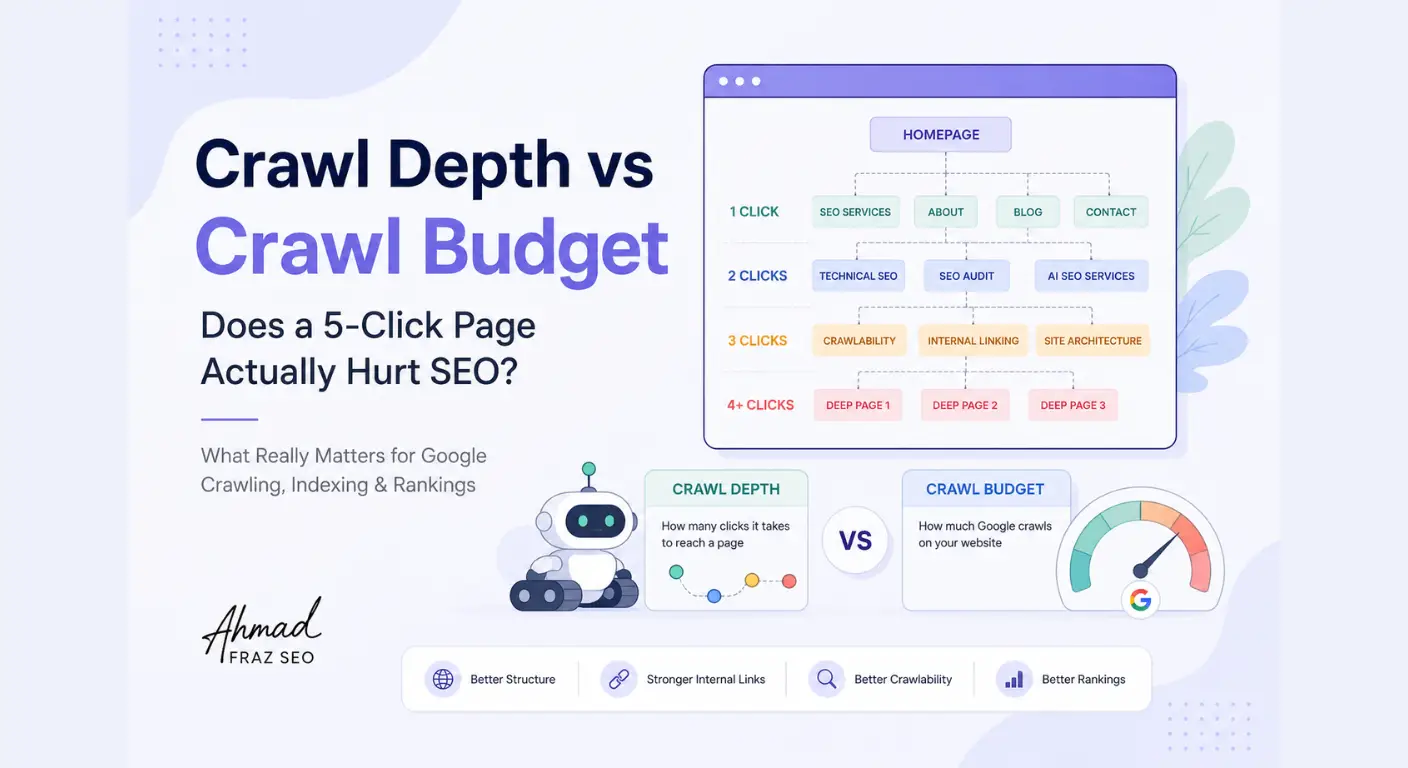
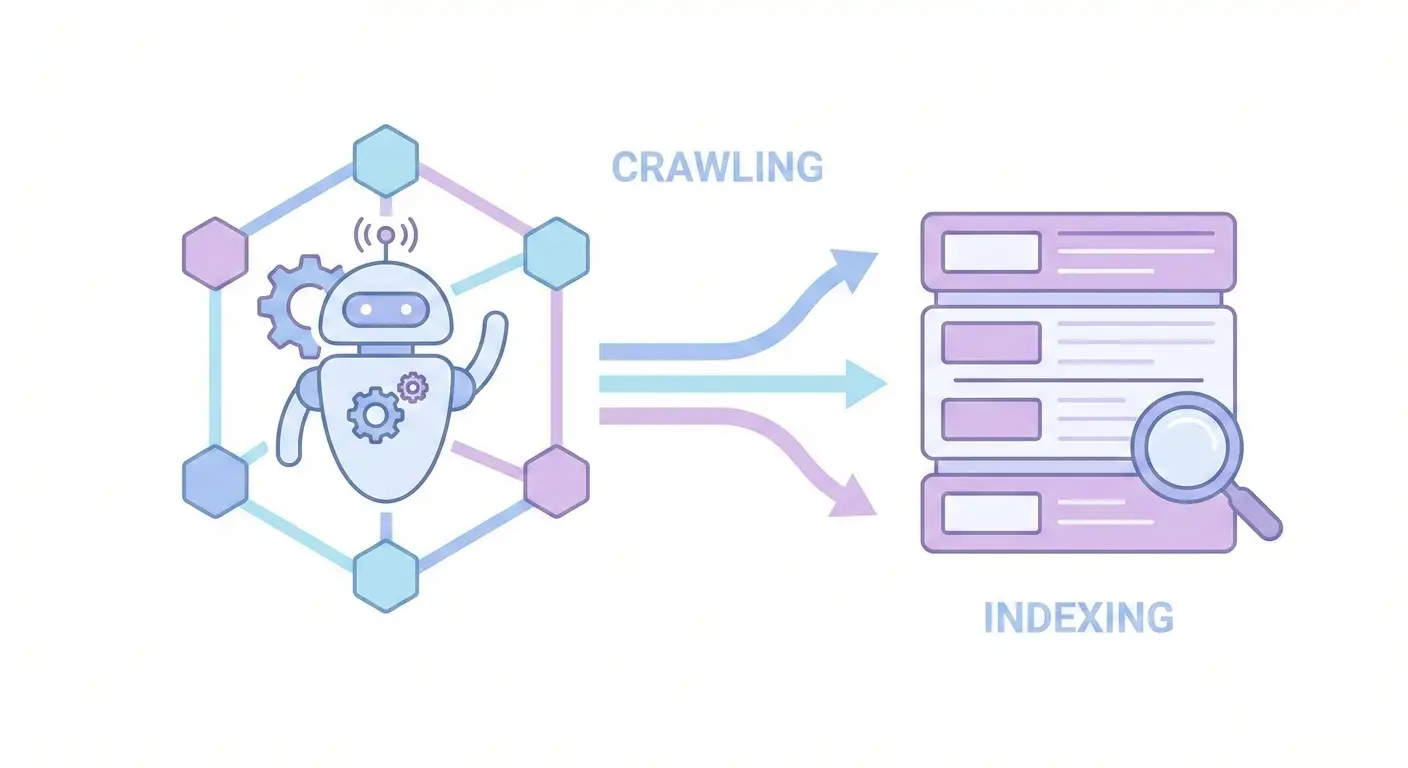
A page can be technically accessible to Google but still not appear in search results. Another page may never be properly accessed by Google in the first place.
That is where crawlability and indexability come in.
Although these terms are often used together, they describe different stages of how search engines process a website:
Crawlability refers to how easily search engine crawlers can access and navigate a URL.
Indexability refers to whether a page can be processed and considered for inclusion in a search engine’s index.
The distinction matters because the solution depends on the problem. A blocked crawler, a noindex directive, an incorrect canonical tag, and a page that Google chooses not to index are not the same issue.
In this guide, I’ll explain the difference between crawlability and indexability, show how they fit into Google’s crawling and indexing process, and outline how to diagnose common problems without confusing them with ranking issues.
What Is Crawlability?
Crawlability is how easily search engine crawlers can access a website’s URLs and retrieve the content or resources they need to process those pages.
Search engines use crawlers such as Googlebot to discover URLs, request pages, follow accessible links, and retrieve relevant resources. If technical barriers prevent a crawler from accessing an important page, the search engine may struggle to understand or process that page properly.
For example, imagine you publish a page at:
example.com/technical-seo-guide/
Google may discover this URL through an internal link, an XML sitemap, an external link, or another known URL. But discovery alone does not mean the page can be successfully crawled. The server must respond, the URL must be accessible, and important crawl restrictions must not prevent access.
Common factors that affect crawlability
Several technical factors can make crawling more difficult or prevent access altogether:
- Robots.txt rules that block important URLs or resources
- Server errors, such as repeated 5xx responses
- Broken or inaccessible URLs
- Redirect chains or redirect loops
- Poor internal linking, which can make important pages harder to discover
- Complex site structures that make navigation inefficient
- JavaScript or resource-loading issues that prevent important content from being retrieved or rendered properly
- Crawl traps, such as endless URL variations or problematic parameters
An orphan page: a page with no internal links pointing to it, can be difficult for search engines to discover. However, it is not automatically un-crawlable. Google may still find it through an XML sitemap, external links, redirects, or other signals.
It is also important to understand what robots.txt does. A robots.txt rule can prevent a crawler from requesting a URL, but it does not reliably prevent that URL from appearing in search results. If the goal is to keep a page out of the index, directives such as noindex must be used in a way that allows Google to access and see them.
What Is Indexability?
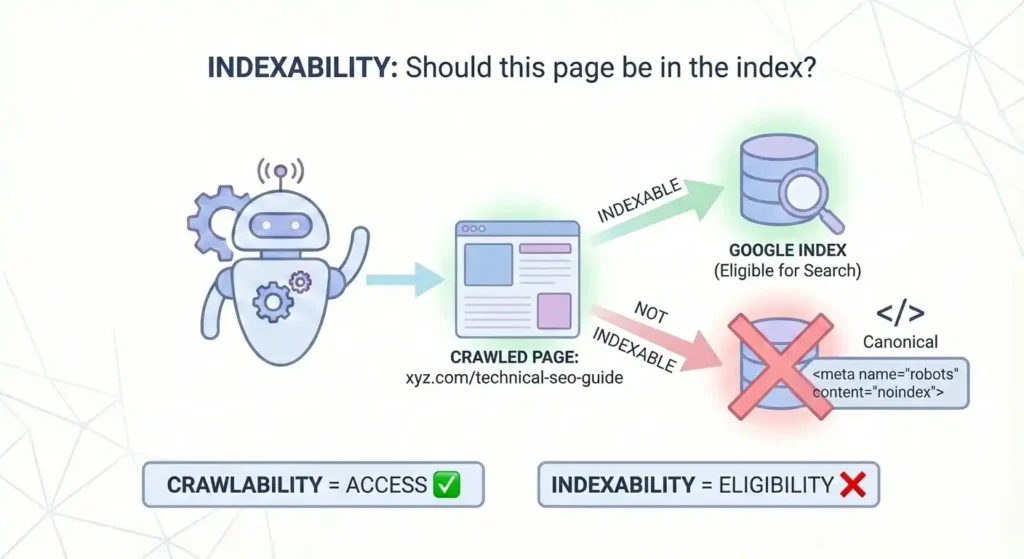
Indexability refers to whether a page can be processed and considered for inclusion in a search engine’s index.
After a search engine accesses a page, it evaluates the page’s content, technical signals, metadata, and relationship to other URLs. It then decides whether the page should be included in its index and which version of the URL should be represented in search.
A page may be crawlable but still not be indexable.
For example, a page with a valid noindex directive can be accessed by Googlebot, but the directive tells Google not to include that page in its index.
Common factors that affect indexability
Indexability can be affected by several technical and content-related signals, including:
noindexdirectives in a page’s robots meta tag orX-Robots-TagHTTP header- Canonical tags that identify another URL as the preferred representative
- Duplicate or substantially similar pages
- Soft 404 signals, where a page appears to exist but effectively behaves like a missing page
- Pages with inaccessible or non-indexable content
- Technical rendering problems that prevent important content from being processed
- Indexing restrictions applied through website configuration or server responses
Canonicalization deserves special attention. A canonical tag can help Google understand which URL should represent a group of duplicate or similar pages, but it is a signal rather than an absolute command. Google may select a different canonical based on other evidence.
Likewise, being technically indexable does not guarantee that a page will be indexed. Google’s technical requirements establish whether a page is eligible for consideration, but inclusion in the index is not guaranteed.
The simplest way to remember the distinction is:
Crawlability asks: Can the search engine access the page?
Indexability asks: Can the page be processed and considered for inclusion in the index?
Indexable Does Not Mean Indexed
A page can be technically indexable without actually appearing in Google’s index.
For example, a page may:
- Be accessible to Googlebot
- Return a valid response
- Have indexable content
- Avoid a
noindexdirective
Yet Google may still choose not to index it, or may select another URL as the canonical version.
That is why diagnosing an indexing problem requires more than checking whether a page is technically allowed to be indexed.
Crawlability vs Indexability: The Difference in One Minute
Crawlability and indexability are connected, but they describe different problems.
A page must generally be accessible to search engine crawlers before its content and indexing signals can be properly evaluated. However, a page that can be crawled is not automatically guaranteed a place in the search index.
The difference is easiest to understand this way:
Crawlability is about access. Indexability is about eligibility for inclusion.
| Factor | Crawlability | Indexability |
|---|---|---|
| Main question | Can a search engine crawler access the URL and retrieve what it needs? | Can the page be processed and considered for inclusion in the index? |
| Relevant stage | Crawling and resource retrieval | Processing and indexing |
| Common obstacles | Robots.txt blocks, server errors, broken URLs, redirect loops, inaccessible resources | Noindex directives, unsuitable canonical signals, duplicate URLs, soft 404s, indexing decisions |
| Typical diagnostic tools | Crawl Stats, server logs, robots.txt testing, URL access checks | URL Inspection, Page Indexing report, source code, robots meta, canonical checks |
| If there is a problem | Google may struggle to access or process the page | Google may exclude the page, select another URL, or choose not to index it |
A simple example
Imagine you publish an important service page.
- If robots.txt prevents Googlebot from accessing the page, you have a crawlability problem.
- If Googlebot can access the page but the page contains a
noindexdirective, you have an indexability problem. - If the page is accessible and technically indexable but Google has not included it in the index, you have an indexing-status or indexing-decision issue that needs further investigation.
- If the page is indexed but receives little organic traffic, the problem may be related to relevance, content, competition, search demand, or ranking—not necessarily crawlability or indexability.
This distinction matters because each situation requires a different diagnosis and solution.
How Google Takes a URL From Discovery to Search
To understand crawlability and indexability, it helps to see where they fit into Google’s search process.
At a high level, Google discovers URLs, crawls accessible pages, processes their content and signals, decides which pages or URL versions belong in its index, and then serves relevant indexed pages in search results.
1. Discovery: Google finds a URL
Google can discover URLs through several sources, including:
- Internal links
- XML sitemaps
- External links
- Previously known URLs
- Redirects and other references
Discovery does not mean Google has successfully crawled or indexed the page. It only means the URL has become known to the search engine.
2. Crawling: Google accesses the URL
Googlebot attempts to request the page and retrieve the content and resources it needs.
At this stage, technical problems such as the following can interfere:
- Robots.txt restrictions
- Server errors
- Network or accessibility issues
- Redirect loops
- Inaccessible resources
- Other crawl barriers
If Google cannot access an important page properly, the problem is primarily related to crawlability.
3. Processing: Google evaluates the page
After accessing a page, Google may process its HTML, content, metadata, links, structured data, and rendered resources.
For pages that rely heavily on JavaScript, rendering can be especially important because some content or links may not be available in the initial HTML.
A page that loads in a browser is not automatically guaranteed to be fully accessible or understandable to a search engine.
4. Indexing: Google decides how the page is represented
Google analyzes the page and considers whether it should be included in its index. It may also compare the URL with similar or duplicate pages and select a representative canonical URL.
Indexing can be affected by signals such as:
noindexdirectives- Canonical tags
- Duplicate content
- Soft 404 signals
- Content and technical quality
- Other indexing systems and decisions
Even if a page is technically eligible, Google does not guarantee that it will be indexed.
5. Serving: Google shows relevant indexed results
When someone searches, Google selects relevant results from its index based on many signals, including relevance, quality, context, and competition.
This is where ranking becomes relevant.
A page that is indexed but does not rank well is not automatically suffering from a crawlability or indexability problem. Its visibility may depend on content relevance, search intent, authority, competition, user experience, or other ranking factors.
Common Crawlability Problems and Fixes
Crawlability problems occur when search engine crawlers cannot efficiently discover, access, or retrieve important URLs and their required resources.
Some issues block crawling completely, while others make important pages harder to discover or cause search engines to spend resources on unnecessary URLs.
Here are some common crawlability problems and the appropriate direction for fixing them:
| Problem | How it affects crawling | What to investigate |
|---|---|---|
| Important URLs blocked by robots.txt | Googlebot may be prevented from requesting specific URLs or resources | Review robots.txt rules and confirm that important pages and resources are not blocked |
| Server errors | Repeated 5xx responses can prevent Google from retrieving a page successfully | Check server logs, hosting errors, uptime, and response patterns |
| Redirect chains or loops | Multiple redirects waste crawl resources, while loops can prevent the destination from being reached | Reduce unnecessary redirects and ensure each redirect resolves to the correct final URL |
| Broken internal links | Links leading to 404 or inaccessible URLs create poor navigation paths and can interfere with discovery | Update, remove, or redirect broken internal links where appropriate |
| Orphan pages | Pages without internal links may be harder to discover through normal site navigation | Add relevant internal links and confirm important URLs are included in the XML sitemap where appropriate |
| Complex URL parameters | Large numbers of URL variations can create duplicate crawling or crawl traps | Review parameter handling, internal linking, canonical signals, and unnecessary URL generation |
| JavaScript or resource-loading problems | Important content or links may not be available or processable as expected | Compare the initial HTML with the rendered page and investigate blocked or failing resources |
The right fix depends on what is preventing access or discovery.
For example, adding a URL to an XML sitemap may help search engines discover it, but a sitemap will not solve a server error, a robots.txt restriction, or a redirect loop. Likewise, improving internal links may help an orphan page become easier to discover, but it does not replace fixing an inaccessible URL.
The first step is to identify whether the problem involves discovery, access, retrieval, or crawl efficiency.
A note about orphan pages
An orphan page is not automatically un-crawlable. If Google discovers the URL through an XML sitemap, an external link, a redirect, or another source, it may still crawl the page.
The problem is that the page has no internal link support, which can make discovery, navigation, and the understanding of its importance more difficult. Important pages should generally be connected to the site through relevant internal links.
Does Every Crawlability Issue Involve Crawl Budget?
Not every crawlability problem is a crawl budget problem.
For smaller websites, the priority is usually making important pages accessible, discoverable, and technically clear. Crawl budget becomes more relevant when a website has a very large number of URLs, frequently changing content, duplicate URL variations, crawl traps, or other conditions that can consume significant crawling resources.
In those cases, crawl efficiency becomes an additional technical SEO consideration—not the starting point for every indexing problem.
Common Indexability and Indexing Problems
A page can be crawlable and still fail to appear in Google’s index. Sometimes the cause is a technical restriction, while in other cases Google has processed the page but has not selected it for indexing.
Common issues include the following:
| Problem | What it means | What to investigate |
|---|---|---|
noindex directive | The page tells search engines not to include it in their index | Check the robots meta tag and X-Robots-Tag HTTP header |
| Incorrect canonical tag | The page signals that another URL is the preferred representative | Review the canonical URL and compare it with internal links, redirects, sitemap entries, and page content |
| Duplicate or near-duplicate pages | Google may choose one representative URL instead of indexing every version | Consolidate unnecessary duplicates and make canonical signals consistent |
| Soft 404 | A URL returns a page that appears technically valid but behaves like a missing or empty page | Check the content, HTTP status, page purpose, and whether the URL should exist |
| Crawled – currently not indexed | Google has crawled the page but has not included it in the index at that time | Review content value, duplication, internal links, technical signals, and indexing patterns |
| Discovered – currently not indexed | Google knows about the URL but has not necessarily crawled it yet | Check internal links, sitemap inclusion, crawl accessibility, server performance, and URL priority |
| Rendering or content-access issues | Google may not be able to process important content or signals as expected | Inspect rendered content, JavaScript execution, blocked resources, and the initial HTML |
| Page not yet processed | A technically eligible page may still be waiting for Google’s systems to process it | Check URL Inspection and monitor the page over time rather than assuming a permanent error |
Important distinction
A page that is not currently indexed does not always have an indexability error.
For example, a page may be accessible, return a valid response, contain indexable content, and have no noindex directive. Google may still choose not to index it, may select another URL as canonical, or may not have processed it yet.
The goal of diagnosis is therefore not simply to ask, “Why is this page not indexed?” It is to determine whether the page is blocked, excluded by a directive, represented by another URL, awaiting processing, or simply not selected for indexing.
Crawlable, Indexable, and Indexed Are Not the Same
These three terms describe different points in a page’s journey through search engines:
| Status | Meaning |
|---|---|
| Crawlable | Google can access and retrieve the URL and the resources it needs |
| Indexable | The page is technically eligible to be processed and considered for inclusion |
| Indexed | Google has included the page, or a representative version of it, in its search index |
A page can be:
- Crawlable but not indexable: For example, it contains a valid
noindexdirective. - Crawlable and technically indexable but not indexed: Google has not selected it for inclusion, has not processed it yet, or has chosen another URL.
- Indexed but not ranking well: The page is in Google’s index, but it may not be competitive or relevant enough for the searches you care about.
This is why checking only whether a URL is accessible is not enough. A proper diagnosis must establish the page’s actual status before deciding what to fix.
How to Diagnose a Page That Isn’t Showing in Google
When an important page does not appear in Google, the first step is to identify where the process is breaking down.
Do not immediately assume that the page has an indexing problem. Start with the URL itself and work through the basic checks.
1. Check the URL in Google Search Console
Use URL Inspection in Google Search Console to check what Google knows about the specific URL.
Look for information about:
- Whether the URL is available to Google
- Whether Google has crawled the page
- Whether the page is indexed
- The selected canonical URL
- Any indexing or accessibility issues reported for the URL
For broader patterns across a website, the Page Indexing report can help identify groups of URLs that are excluded or not currently indexed.
2. Check whether crawling is blocked
If Google cannot access an important URL, investigate crawlability before focusing on indexing.
Check:
robots.txt- Server response and HTTP status
- Redirect chains or loops
- DNS or server accessibility
- Important resources required to render the page
- Whether internal links lead correctly to the URL
A robots.txt block is especially important to distinguish from a noindex directive. If Google is prevented from crawling a page, it may not be able to see a noindex instruction on that page.
3. Check for indexing directives
If the page is accessible, inspect its indexing controls.
Look for:
noindexin the robots meta tagX-Robots-Tagin the HTTP response- Other configuration that intentionally prevents indexing
If an important page has a noindex directive, the issue may be straightforward: the page is telling search engines not to include it.
4. Check the canonical URL
Look at the page’s canonical tag and compare it with the URL you actually want indexed.
Also check whether other signals agree with that choice, including:
- Internal links
- XML sitemap entries
- Redirects
- Similar or duplicate URLs
A canonical tag is a signal, not a guarantee. Google may select a different canonical URL when its other signals point elsewhere.
5. Check the page’s indexing status
If the page is crawlable and has no obvious indexing restriction, determine what Google currently reports about it.
For example:
- Indexed: The page is already in Google’s index, so the issue may be ranking or search visibility rather than indexing.
- Crawled – currently not indexed: Google has crawled the page but has not included it in the index at that time.
- Discovered – currently not indexed: Google knows about the URL but has not necessarily crawled it yet.
- Excluded: Further investigation is needed to understand why Google has not included the URL.
These statuses are starting points for diagnosis, not automatic explanations of the underlying cause.
6. Check the page itself
If the technical signals look reasonable, review the page for issues that could affect how Google evaluates it.
Check whether:
- The page contains meaningful, accessible content
- The content is substantially duplicated elsewhere
- The page effectively behaves like a missing page
- Important content depends on JavaScript or blocked resources
- The page has a clear purpose and fits logically within the site
At this point, avoid treating every indexing issue as a technical error. A page can meet the basic technical requirements and still not be selected for indexing.
A simple diagnostic rule
When a page is missing from Google, work through the problem in this order:
Can Google access it? → Is indexing blocked? → Is another URL being selected? → Has Google actually indexed it? → If indexed, is the real problem ranking or visibility?
This prevents you from fixing the wrong problem.
What to Fix First When a Page Isn’t Showing
Once you identify the problem, fix the highest-impact technical barrier first rather than changing several things at once.
A sensible priority is:
- Remove accidental access blocks
Make sure important pages are not blocked by robots.txt, server errors, or other access problems. - Remove unintended indexing restrictions
Check for accidentalnoindexdirectives or other configuration that prevents indexing. - Resolve incorrect canonical signals
Make sure the canonical URL, internal links, redirects, and sitemap signals support the URL you actually want represented. - Improve discovery and site signals
Add relevant internal links and make sure important URLs are included in the XML sitemap where appropriate. - Investigate pages that remain unindexed
If the page is technically accessible and indexable but remains outside the index, look at duplication, page purpose, content quality, and other signals before assuming another technical error exists. - Separate indexing from ranking
If the page is already indexed, stop treating indexing as the primary problem. The next investigation should focus on search visibility and ranking factors.
When Crawlability and Indexability Aren’t the Problem
Not every organic search problem is a crawlability or indexability problem.
If a page is accessible to Google, technically eligible for indexing, and already appears in Google’s index, the next question is not “Why can’t Google crawl this page?”
It is:
“Why isn’t this indexed page performing as well as it could?”
At that point, the problem may involve factors such as:
- Search intent and content relevance
- Content quality and usefulness
- Competition for the target query
- Internal linking and site structure
- Authority and links
- Search demand
- Page experience and other ranking signals
For example, if your service page is indexed but ranks on page five, making the XML sitemap larger or changing its robots.txt rules is unlikely to solve the ranking problem.
The same applies when a page is indexed but receives impressions without meaningful clicks. That may point toward search intent, title and snippet relevance, positioning, or competition rather than a basic indexing issue.
Technical SEO should remove barriers that prevent search engines from accessing and understanding your pages, but it cannot replace a strong search strategy.
Go Deeper
Crawlability and indexability are the foundation, but each piece of the puzzle deserves its own deeper look. Here’s where to go next, depending on what you’re trying to fix:
Understanding the fundamentals further
- What is Crawl Depth in SEO? – how many clicks it takes Google to reach a page, and why that distance matters
- View Page as Googlebot: How to See What Google Actually Sees – diagnosing exactly what Google’s crawler does and doesn’t see on your pages
- What Is Technical SEO? – the broader technical foundation that crawlability and indexability sit inside
Fixing specific crawlability problems
- Broken Links in SEO – how 404s and dead links waste crawl budget and hurt user experience
- SEO Redirects – when and how to use 301s, 302s, and other redirect types correctly
- HTTPS & SSL Certificates: The Complete SEO Guide – why a secure, properly configured site is part of the crawlability and trust equation
Going advanced
- Advanced Website Crawlability: How to Make Every Page Crawlable – log file analysis, JavaScript rendering, crawl traps, and crawl budget optimization for larger, more complex sites
Frequently Asked Questions (FAQs)
Can a page be crawlable but not indexed?
Yes. A page can be accessible to Googlebot and still not appear in Google’s index. For example, it may have a noindex directive, Google may select another URL as the canonical version, or Google may decide not to index the page even though it meets the basic technical requirements.
Can Google index a URL it cannot crawl?
Yes, a URL can sometimes appear in Google’s search results even when Google has not been able to crawl its content. For example, Google may discover the URL through links or other references. However, if Google cannot crawl the page, it cannot reliably evaluate the page’s content and indexing directives.
Does submitting a sitemap guarantee indexing?
No. An XML sitemap helps Google discover URLs, but submitting a URL does not guarantee that Google will crawl or index it. Indexing depends on additional technical and quality signals.
How can I check whether a page is crawlable and indexed?
For an individual URL, use Google Search Console’s URL Inspection tool. It can provide information about the URL’s indexing status, canonical, and other relevant signals. For broader indexing patterns, use the Page Indexing report, while Crawl Stats can help you understand Googlebot’s crawling activity.
Is crawl budget relevant to every website?
No. Crawl budget is not something every website needs to actively optimize. It becomes more relevant for large or frequently changing websites, particularly when they generate many unnecessary or duplicate URLs. For smaller sites, making important pages accessible, discoverable, and technically clear is usually the more immediate priority.
Conclusion: Crawlability and Indexability: What to Remember
Crawlability and indexability solve different parts of the search process.
Crawlability is about access: can a search engine reach and retrieve the URL and the resources it needs?
Indexability is about eligibility: can the page be processed and considered for inclusion in the search index?
A useful way to think about the relationship is:
Discover → Crawl → Process → Index → Serve
But not every problem happens at the same stage. A blocked URL, a noindex directive, an incorrect canonical, a page that remains unindexed, and an indexed page that ranks poorly all require different diagnoses.
If an important page is not appearing in search, start by identifying where the process is breaking down rather than changing technical settings at random.
And if the problem spans multiple URLs or you are not sure whether the issue is crawling, indexing, or something else, a technical SEO audit can help identify the underlying barriers before you start making changes.
Is Your Website Crawlable and Indexable?
If important pages aren’t appearing in Google, the problem may not be your content or rankings. A blocked crawler, indexing directive, incorrect canonical, or technical issue can prevent Google from properly processing a page.
I can audit your website to identify where crawling or indexing is breaking down and what needs to be fixed first.