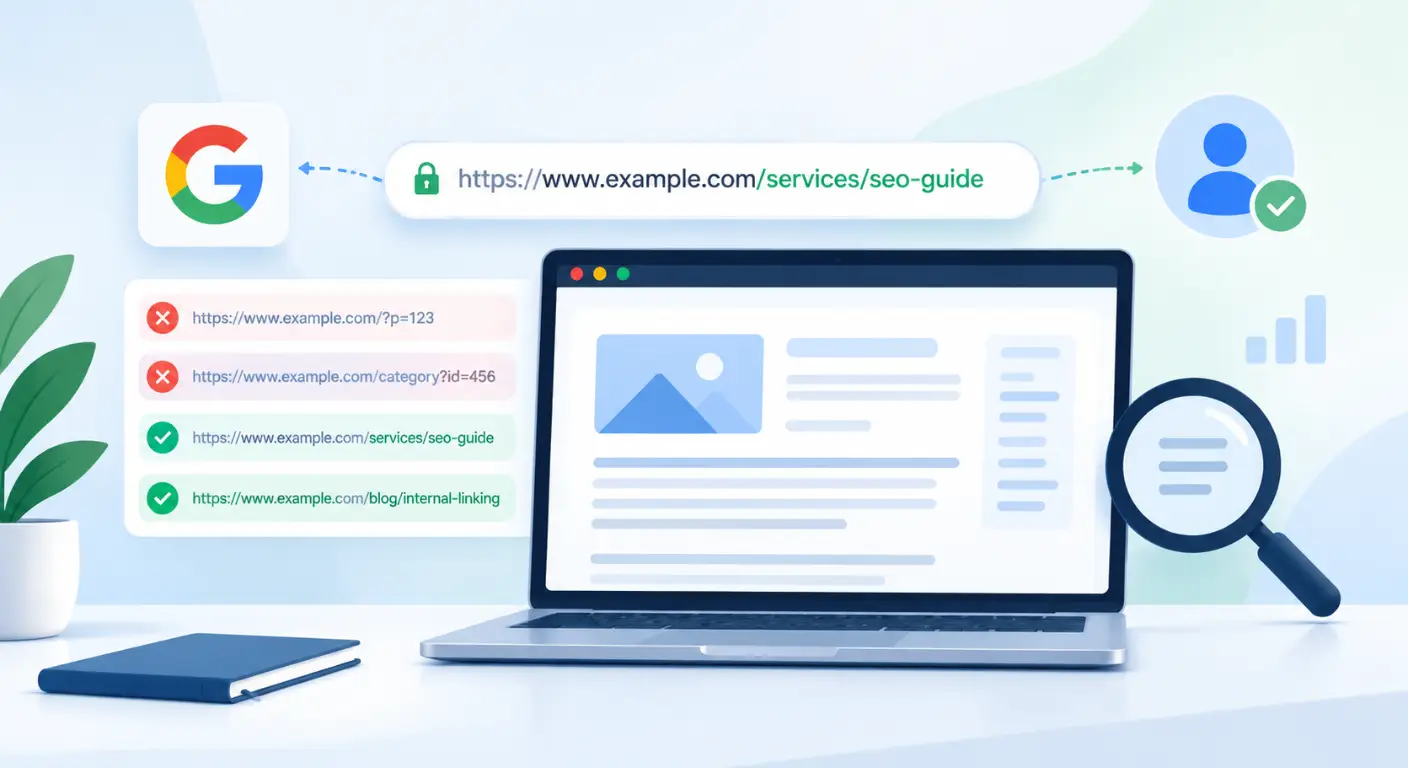
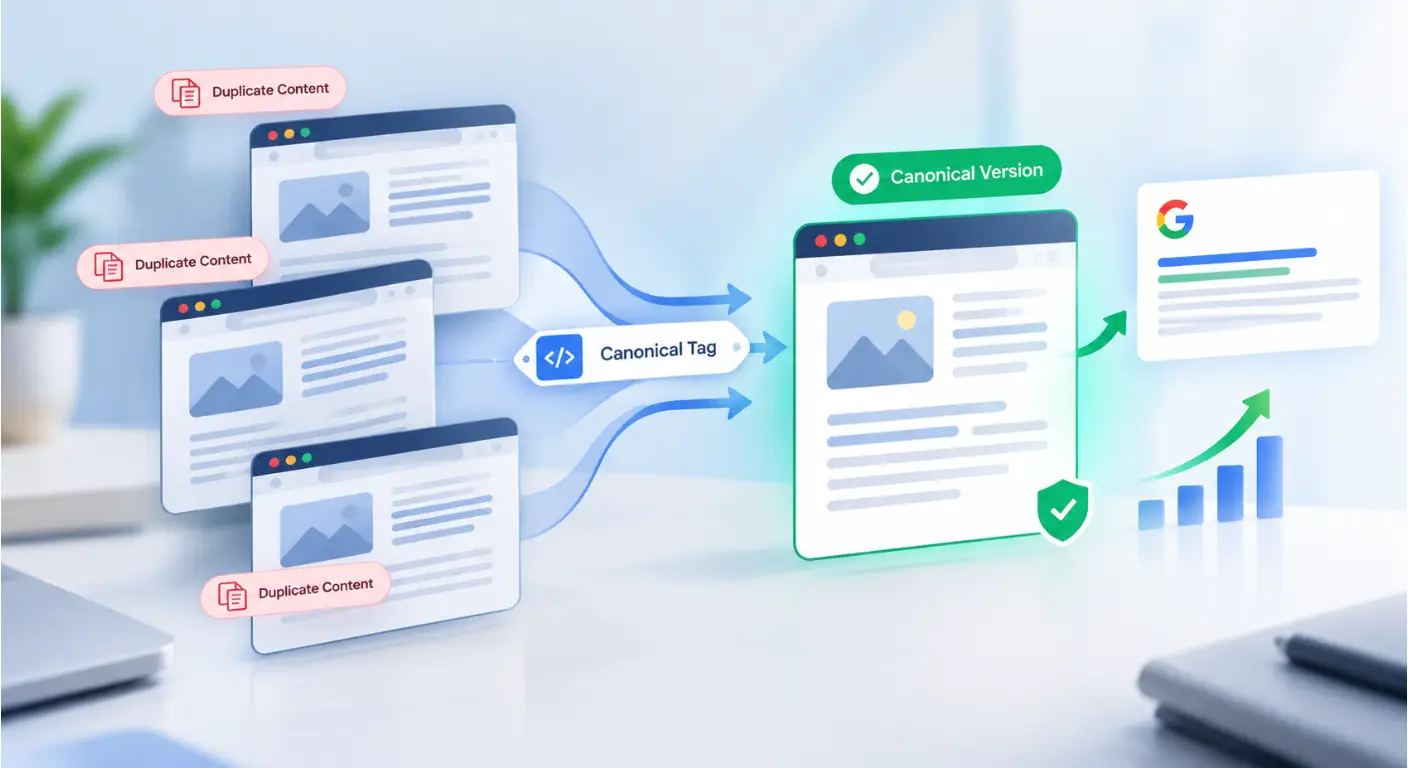
Duplicate content is rarely the result of intentional web spam, yet it remains one of the most destructive silent growth killers in technical SEO. When search engines discover identical or substantially similar body text accessible across multiple distinct URLs, they do not default to applying manual spam penalties instead, they trigger algorithmic signal dilution.
By fragmenting internal PageRank, splitting external backlink equity, and forcing crawlers to evaluate endless URL variations, duplicate content quietly degrades your domain’s organic ranking potential. Understanding how to consolidate these dispersed signals into a single authoritative URL is the key to reclaiming your site’s true search visibility.
In this guide, you will learn:
How duplicate URLs fragment internal PageRank, split backlink equity, and drain your crawl budget.
The technical difference between protocol traps, parameter URL variations, and algorithmic document fingerprinting (SimHash).
How Google evaluates HTML
<link rel="canonical">tags and HTTP headers and why search crawlers sometimes override user-declared canonicals.Actionable strategies for all platforms especially e-commerce faceted navigation, URL parameters, cross-domain syndication, and
hreflanginternational mapping.Step-by-step workflows to diagnose Search Console errors (
Duplicate without user-selected canonical) and execute clean signal consolidation without traffic loss.
What Is Duplicate Content in SEO & How Signal Dilution Happens
At its core, duplicate content occurs when blocks of content across or within a single domain either completely match or share extreme semantic overlap. While SEO practitioners often view duplicate URLs through the lens of indexation errors, search engines evaluate them primarily as an efficiency and resource allocation problem.
Exact-Match Duplicates vs. Near-Duplicates (Technical vs. Semantic Parity)
Search engine processing pipelines split duplicate assets into two distinct categories:
1. Exact-Match Technical Duplicates
These occur when identical content and HTML structures are rendered under multiple distinct URL strings. This is almost exclusively caused by server configuration oversights, CMS handling, or parameter appendings:
Protocol & Subdomain Traps: Non-canonicalized HTTP vs. HTTPS variants, or
wwwvs.non-wwwhostnames serving parallel site versions.Trailing Slashes & Case Sensitivity:
example.com/categoryvs.example.com/category/, or lower-case vs. title-case variations (/Servicesvs./services).Session IDs & Tracking Parameters: URL parameters like
?utm_source=,?gclid=, or session keys (?sid=123) appending to static content without clean canonical handling.
2. Near-Duplicates (Semantic Parity)
Near-duplicate content occurs when two or more pages share core text blocks, layout boilerplate, or intent, even if the surrounding markup differs slightly:
Faceted Navigation & Product Variants: E-commerce product pages where changing color, size, or sorting filters (
?color=red&size=xl) modifies less than 15–20% of the rendered body text.Geotargeted & Programmatic Landing Pages: Thin location pages generated at scale where only the city name or ZIP code changes while 90% of the narrative copy remains identical.
Document Fingerprinting (MinHash & SimHash Logic): Search engines use algorithmic hashing methods (such as SimHash) to generate compact binary representations of web pages. If two URLs yield near-identical hashes, search systems flag them as near-duplicates and suppress one from primary indexation.
The Hidden Costs of Duplicate URLs: Crawl Budget Exhaustion & Split PageRank
When duplicate URLs flood your site architecture, your organic traffic suffers through two primary algorithmic mechanics:
1. Crawl Budget Exhaustion
Search engines assign a finite crawl budget (a combination of crawl rate limit and crawl demand) to every site. If Googlebot spends 60% of its allotted crawl cycles navigating redundant URL parameter combinations, it delays discovering newly published articles or re-indexing recently updated money pages.
2. Split PageRank & Backlink Equity
When third-party sites link to your content, they may reference different URL variations (e.g., some link to example.com/page, others to example.com/page/ or https://www.example.com/page. Without consolidation, external link equity partitions across these variations rather than aggregating into a single, highly authoritative ranking asset.
How Google Selects Canonical URLs: Directives vs. Algorithmic Signals
A common misconception among technical practitioners is treating the <link rel="canonical"> tag as an absolute command. In reality, search engines evaluate canonical tags as hints rather than binding directives.
When Googlebot encounters duplicate or near-duplicate URLs, it runs an algorithmic signals evaluation process to choose a single Google-selected canonical. Understanding this mechanism is essential for controlling which URL represents your master content in search results.
Implementing the HTML Canonical Tag (rel="canonical") & HTTP Headers
To explicitly signal your primary URL preference to search crawlers, you must implement technical canonical declarations at the document or protocol level.
1. Standard HTML <head> Implementation
For standard web documents, place the <link rel="canonical"> element exclusively inside the <head> section of the HTML DOM:
<link rel="canonical" href="https://example.com/services/technical-seo" />
Absolute URLs Only: Always specify fully qualified absolute URLs (
https://...) rather than relative paths (/services/technical-seo). Relative paths often break during dynamic rendering or cross-domain scraping.Self-Referential Canonicals: Every indexable master page must include a self-referential canonical tag pointing directly to its own canonical URL. This prevents scrapers, tracking parameters, or dynamic session IDs from indexing accidental duplicate variations.
2. HTTP Header Canonicals (For Non-HTML Assets)
Standard HTML tags cannot be parsed inside non-HTML files such as PDFs, downloadable images, or digital documents. To canonicalize non-HTML files to their web equivalents, serve an HTTP response header from your web server (Nginx, Apache, or Cloudflare):
Link: <https://example.com/whitepapers/seo-audit-guide>; rel="canonical"
Why Google Overrides Declared Canonicals: Resolving Signal Conflicts
When Google Search Console reports “Duplicate, Google chose different canonical than user”, it means your declared <link rel="canonical"> tag was rejected during algorithmic evaluation. Google overrides user declarations when the surrounding site signals contradict the canonical tag.
Primary Causes of Signal Conflicts:
Contradictory Internal Link Signals: If page
Adeclares pageBas its canonical, but 90% of your site’s internal anchor links point to pageA, Googlebot will likely ignore the canonical tag and select pageA.XML Sitemap Mismatches: Including non-canonical or parameter-appended URLs inside your XML sitemap signals to crawlers that those pages are indexation targets, directly conflicting with your
rel="canonical"tags.Canonical Chains & Loops:
Chain: Page
Apoints canonical to PageB, which points canonical to PageC. Googlebot abandons execution after 1–2 hops and chooses its own canonical.Loop: Page
Apoints canonical to PageB, and PageBpoints canonical back to PageA.
Canonicalizing to Blocked or Non-200 URLs: Pointing a canonical tag to a URL that returns a
404 Not Found,301 Redirect, or is blocked by a<meta name="robots" content="noindex">tag causes immediate algorithmic rejection.
How Duplicate Content Manifests Across Major Web Architectures
Duplicate content is often misdiagnosed as an e-commerce-only phenomenon due to automated faceted filtering. In reality, modern enterprise CMS architectures, SaaS documentation portals, programmatic web apps, and multi-author publishing networks natively generate massive duplicate URL sprawl through their core routing engines.
Identifying how duplicate signals emerge across different technology stacks is the first step toward building an effective technical containment strategy.
1. E-Commerce Platforms: Multi-Category Paths & Faceted Filtering Traps
E-commerce engines generate dynamic URL permutations at scale to support user filtering and inventory management. Left unmanaged, a store with 1,000 products can instantly expose over 100,000 crawlable URLs to search engines.
Multi-Breadcrumb Product Routing: Platforms like Magento and Shopify frequently make a single product item accessible via multiple navigational paths:
example.com/mens/shoes/nike-air-maxexample.com/running/footwear/nike-air-maxexample.com/sale/nike-air-maxThe Trap: Unless hardcoded canonical rules force a primary path, external backlink equity partitions across all 3 URLs, and Googlebot treats each as a standalone thin asset.
Faceted Navigation Permutations: Dynamic sorting and filtering (
?color=red&size=xl&sort=price_asc) create exponential parameter combinations. Because less than 15% of the page markup changes when a user selects a filter, Google algorithms classify these variations as near-duplicate content clutter.
2. SaaS & Tech Portals: Versioned Docs, API Paths & Staging Leaks
SaaS applications and developer-focused platforms suffer from technical duplicate issues driven by versioning systems and client-side rendering engines.
Versioned Documentation Arrays: When SaaS platforms release new software versions (e.g.,
/docs/v1.0/authenticationvs/docs/v2.0/authentication), older documentation pages often remain live. Because core code examples and explanatory text overlap by 80%+, search engines struggle to identify the definitive current version.Internal Search & Query Routing: Developer portals often expose live internal search URLs (
example.com/docs/search?q=oauth2) to external crawlers. These query result pages create thousands of low-value, duplicate landing pages that dilute domain authority.Unprotected Staging & Preview Environments: Modern CI/CD deployment pipelines (Vercel, Netlify) automatically generate preview URLs (e.g.,
feature-branch.saas-app.vercel.app). If these environments mirror production without authentication or indexation controls, search engines index the entire staging site as a cross-domain duplicate.
3. Publishing & News Networks: Taxonomy Overlap, Author Archives & Syndication
High-volume content platforms (WordPress, Ghost, custom CMSs) generate duplicate content through default taxonomy handling and multi-channel content distribution.
Taxonomy & Category Bloat: Assigning a single news article to multiple categories and tag archives (
/category/tech/,/category/ai/,/tag/chatbots/) causes full post snippets or complete body text to render on multiple archive pages simultaneously.Author & Date Archive Duplication: On single-author blogs or small editorial sites, the author archive page (
/author/john-doe) renders the exact same post stream as the homepage or main/blogfeed, leading to direct site-wide duplicate signals.Uncontrolled Media Syndication: When news publishers distribute articles across syndication networks or RSS feeds without enforcing cross-domain canonical headers, high-authority syndication partners frequently outrank the original publishing domain.
4. Programmatic CMS & Web Apps: Template Parity & Session ID Appends
Programmatic SEO frameworks (Next.js, Nuxt.js) and custom web applications create near-duplicate signals through automated page generation and state tracking.
Programmatic Template Parity (Location/Niche Pages): Generating thousands of local service pages (e.g.,
/plumber-in-chicago,/plumber-in-dallas) where only the geographic entity name changes while 95% of the body text remains identical. Search engine document fingerprinting engines (SimHash) flag these as programmatic near-duplicates and de-index them at scale.Tracking & Session ID Appending: Web applications appending session tokens (
?sessionid=xyz), marketing parameters (?utm_source=), or user state flags to static URLs create endless unique URL variations for identical page states.
5. Aligning Canonical Directives with International (hreflang) Targets
Cross-border web architectures face unique duplication risks when serving identical or similar language content across different regional target markets (e.g., en-us, en-gb, en-ca).
The Regional Language Duplication Trap: Publishing identical English body text targeting US, UK, and Australian audiences creates near-duplicate signals across regional subfolders or country-code top-level domains (ccTLDs).
The Hreflang Conflict Error: A catastrophic implementation mistake occurs when a development team attempts to “solve” regional duplicate warnings by canonicalizing all localized versions (
example.com/uk/page,example.com/ca/page) back to the primary US URL (https://example.com/us/page)).The Result: This invalidates the
hreflangannotations entirely, forcing Google to drop all regional variants from local search results and index only the US URL globally.
How to Audit Duplicate Content & Canonical Mismatches at Scale
Detecting duplicate content across thousands of URLs manually is impossible. To identify signal dilution and canonical mismatches at scale, technical SEOs must perform live DOM and site audits using technical web crawlers (Screaming Frog, Ahrefs Site Audit, Sitebulb) alongside log file analysis.
Live DOM Auditing with Technical Crawlers
When executing a sitewide technical crawl, standard HTML parsing is often insufficient for modern JavaScript-heavy frameworks (React, Angular, Next.js). You must execute a rendered DOM crawl to verify that dynamic scripts are not injecting conflicting <link rel="canonical"> tags during execution.
Key Diagnostic Checks to Run:
Identifying Missing Self-Referential Canonicals:
Filter crawl results for
Status: 200 OKindexable pages that lack a canonical tag or render an empty canonical target attribute.Best Practice: Every indexable page must contain a explicit self-referential canonical tag to defend against external scraping and dynamic tracking parameter hijacking.
Detecting Canonical Chains & Loops:
Canonical Chain: Page
Apoints canonical to PageB, which points canonical to PageC. Search engine crawlers ignore multi-hop canonical declarations.Canonical Loop: Page
Apoints canonical to PageB, and PageBpoints canonical back to PageA. Loops invalidate both canonical signals completely.The Audit Action: Export the Canonical Chains & Loops report from your crawler. Resolve all multi-hop tags to point directly (
1-hop) to the final master destination.
Auditing Canonical Target HTTP Response Codes:
A critical error occurs when
<link rel="canonical">points to a URL returning a4xxclient error,5xxserver error, or301redirect.The Audit Action: Verify that 100% of declared canonical targets return a clean
200 OKHTTP status code.
The “Triple-Match” Verification Method
To achieve maximum diagnostic accuracy during an audit, run a Triple-Match Verification across three core site signals:
If your HTML canonical points to URL A, but your XML sitemap lists URL B, and your primary navigation menu links to URL C, search engines will treat the conflicting signals as a breakdown in site architecture and override your directives 100% of the time.
Decoding Duplicate Content & Canonicalization Alerts in Google Search Console
While technical crawlers show live DOM configurations, Google Search Console (GSC) provides historical ground truth regarding how Googlebot actually indexes and categorizes your duplicate URLs.
Navigating to the Page Indexing report reveals specific error codes that require systematic diagnosis.
Duplicate without user-selected canonical
This alert indicates that Google discovered multiple URLs rendering identical or near-identical body markup across your domain, but your HTML source code contains no <link rel="canonical"> tag.
What it means: Google detected duplicate content, but because you provided zero technical directives, Googlebot was forced to programmatically choose an arbitrary canonical URL itself.
Audit Identification: Look at the affected URL list in GSC. Are these tracking parameter variations (
?ref=), sorting strings, or clean URLs missing canonical declarations?Action Assessment: If the URL is a parameter variant, it requires a canonical directive pointing to the clean master page. If it is an indexable standalone page, it requires an immediate self-referential canonical tag.
Duplicate, Google chose different canonical than user
This is a high-priority signal conflict alert. It indicates that you explicitly declared URL A as canonical, but Google rejected your directive and selected URL B to represent the content in search results.
What it means: Google evaluated your surrounding site architecture (internal links, sitemaps, backlink distribution) and determined that your declared canonical tag directly contradicts your actual site signals.
Audit Identification: Use GSC’s URL Inspection Tool to view the User-declared canonical vs. Google-selected canonical. Compare internal link counts, sitemap inclusion, and backlink equity between the two assets.
Action Assessment: If Google’s choice is correct, update your HTML canonical to match Google’s choice. If your declared URL
Ais the true target, fix the conflicting signals (align internal links, update sitemaps, remove non-canonical URLs from internal menus).
Alternate page with proper canonical tag
This alert represents a normal, healthy indexation status for non-master URL variations.
What it means: Google successfully discovered your non-canonical variations (e.g., product variant URLs, parameter strings, or desktop/mobile variants), read your
<link rel="canonical">tag pointing to the master page, and honored your instruction by excluding the duplicate variant from indexation.Audit Identification: Inspect the excluded URLs to verify that their canonical target points to the correct
200 OKmaster URL.Action Assessment: No corrective action is required if the canonical targets are correct. However, if thousands of these URLs populate GSC, evaluate whether internal navigation links are excessively leaking crawl budget onto parameter variations.
Identifying Keyword & Canonical Cannibalization Signals
While GSC does not feature a dedicated report labeled “Keyword Cannibalization,” specific indexing behaviors flag underlying keyword and canonical overlap issues:
Symptom 1: Rapid URL Flipping in Performance Reports: When filtering performance data by a single high-intent search query, if the ranking landing page URL constantly toggles between URL
Aand URLBevery few days, Google is struggling to resolve document intent.Symptom 2: “Discovered – currently not indexed” Spikes: Sudden spikes in discovery exclusions across similar landing pages indicate that Google’s document fingerprinting algorithms (SimHash) flagged new pages as near-duplicates before full rendering.
Action Assessment: Determine if the two URLs serve distinct search intents. If intent overlaps by 80%+, merge the content into a single master URL via
301redirection or enforce strict canonical consolidation.
Technical Resolution Framework: How to Fix and Consolidate Duplicate URL Signals
Identifying duplicate content and canonical mismatches is only half the battle. To permanently eliminate signal dilution, you must deploy a structured resolution framework that redirects, canonicalizes, or de-indexes duplicate URLs based on their architecture and platform context.
The Master Consolidation Matrix
Choosing the wrong fix for duplicate URLs can result in lost organic rankings, broken parameter access, or severe indexation drops. Use this decision matrix to select the precise technical mechanism for each duplication state:
| Duplication State | Recommended Fix | Primary Mechanism | When to Deploy |
| Exact Protocol/Host Duplicates | 301 Permanent Redirect | Hard HTTP redirection | Non-HTTPS to HTTPS, www to non-www, trailing slash inconsistencies (/page vs /page/). |
| User Access Needed (Filters/Sorts) | <link rel="canonical"> | Soft signal consolidation | Faceted navigation (?sort=price), functional tracking parameters (?ref=), and cross-domain guest posts. |
| Low-Value System/Taxonomy Pages | noindex, follow | Meta tag exclusion | Internal search results, staging pages without auth, empty tag archives, and printable page views. |
| International Regional Variants | Localized Canonicals + hreflang | Self-referential mapping | Country-specific domains (.uk, .ca) sharing body copy with a primary regional domain (.com). |
| Deprecated / Outdated Assets | 410 Gone / 301 Redirect | Status code removal | Dead product variants with zero backlinks (410) or permanently merged articles (301). |
Platform-by-Platform Fix Playbook
Different CMS platforms enforce unique routing architectures. Apply these targeted fixes based on your specific technology stack:
1. E-Commerce Platforms (Shopify, Magento, WooCommerce)
Shopify Product Path Consolidation: By default, Shopify generates collection-based product URLs (
/collections/shoes/products/nike-air). Modify your theme’s Liquid code (product-grid-item.liquid) to strip the collection prefix, forcing all internal links directly to the root product URL (/products/nike-air).Faceted Parameter Containment: Hardcode a self-referential canonical tag on all primary category pages. For active filters (
?color=blue), inject dynamic canonical tags pointing strictly back to the parent category root URL without query strings.
2. SaaS & Technical Documentation Portals
Documentation Versioning: Serve versioned docs (
/docs/v1.0/) with a<link rel="canonical">header pointing to the current stable documentation version (/docs/latest/).Client-Side SPA Canonicals: For single-page applications (React, Next.js), ensure that server-side rendering (SSR) or dynamic rendering injects clean, static
<link rel="canonical">tags into the initial HTML response before client-side hydration occurs.
3. Publishing & News Networks (WordPress, Ghost)
Taxonomy Containment: In WordPress (via RankMath, Yoast, or custom hooks), set author archives on single-author blogs and date-based archives to
<meta name="robots" content="noindex, follow">.Cross-Domain Syndication Controls: Enforce mandatory HTTP header canonicals or HTML
<head>canonicals on syndicated post feeds, pointing back to the original publishing domain URL.
4. Programmatic Frameworks (Next.js ISR / SSR)
SimHash Parity Containment: When building programmatic landing pages at scale, ensure that each programmatic page varies by at least 30–40% unique, contextual copy (e.g., custom local reviews, regional pricing, specific case studies) to pass search engine document fingerprinting thresholds.
The “Robots.txt Trap”: Why Disallowing Duplicate Parameters Backfires
One of the most dangerous and common mistakes technical SEOs make is attempting to solve duplicate content issues by blocking parameter URLs in robots.txt:
# CATASTROPHIC TECHNICAL MISTAKE:
User-agent: Googlebot
Disallow: /*?sort=
Disallow: /*?color=
Why This Breaks Signal Consolidation:
To process a <link rel="canonical"> tag, search crawlers must be able to fetch and parse the page source. Blocking a duplicate URL via robots.txt prevents Googlebot from discovering the canonical directive entirely.
If third-party sites link to that parameter URL, Google will continue to index it as a standalone blocked page, trapping duplicate equity forever.
The Correct Protocol: Allow Googlebot full crawl access in
robots.txtso it can read your<link rel="canonical">tags, consolidate PageRank, and gracefully drop non-canonical parameter URLs from search results.
Proactive Future-Proofing: Preventing Canonical Leaks
Preventing duplicate content issues at the deployment level is exponentially easier than fixing sitewide indexation errors post-launch.
Engineering & CMS Deployment Guidelines:
Staging Environment Isolation: Never rely solely on
<meta name="robots" content="noindex">to protect staging domains (e.g.,staging.example.com). Developers often push staging code to production without removing thenoindextag, causing total de-indexation. Use mandatory HTTP Basic Authentication instead.Automate Self-Referential Rules: Ensure your CMS template framework injects a clean, absolute self-referential canonical tag on every new page creation by default.
Strict Case & Slash Rules: Enforce web server rewrite rules (Nginx/Apache) that automatically lower-case all URL paths and strip trailing slashes globally at the server level before rendering pages.
Frequently Asked Questions (FAQs)
How to use canonical tags: Practical tips for implementation
To use canonical tags effectively:
- Always use absolute URLs (
https://example.com/page) instead of relative paths. - Implement self-referential canonicals on all primary indexable pages.
- Ensure canonical targets return an immediate
200 OKstatus (never point to redirects, 404s, ornoindexpages). - Ensure HTML canonical targets match XML sitemap entries and primary internal menu links (Triple-Match Rule).
What is canonicalization in SEO & why is it necessary?
Canonicalization is the technical process of picking a single authoritative master URL (canonical) to represent a group of identical or near-duplicate pages on a website. It is necessary because web servers natively generate multiple URLs for identical content (e.g., HTTP vs HTTPS, sorting parameters, category paths). Canonicalization consolidates search signals (PageRank and backlink authority) into one master ranking page.
Does duplicate content affect SEO & can it cause a penalty?
Yes, duplicate content directly hurts SEO, but not through manual spam penalties. Instead, it triggers algorithmic signal dilution. When duplicate URLs exist, search engines partition internal link equity, split external backlinks, and waste crawl budget on dynamic URL variations causing primary pages to rank significantly lower.
How to check for duplicate content on a website at scale?
To check for duplicate content:
- Google Search Console: Review the Page Indexing report for status codes “Duplicate without user-selected canonical” and “Duplicate, Google chose different canonical than user”.
- Technical Crawlers: Run a JavaScript-rendered DOM crawl using Screaming Frog or Ahrefs Site Audit to filter for duplicate title tags, H1s, and near-identical body hashes (SimHash).
- Google Search Operators: Run exact-match quote searches (
site:example.com "unique body string") to locate unindexed parameter variations.
Can I use robots.txt disallow rules to solve duplicate content issues?
No. Disallowing duplicate parameter URLs in robots.txt prevents Googlebot from crawling the page HTML. As a result, Googlebot cannot read your <link rel="canonical"> tag, trapping duplicate link equity on the blocked page indefinitely. Always allow crawlers access to parameter pages so canonical directives can be processed.
How do canonical tags interact with hreflang on international sites?
Canonical tags and hreflang annotations must run in parallel. Every localized regional page (en-us, en-gb) must be self-canonicalizing to its own localized URL. Pointing regional variants to a single global canonical invalidates your hreflang setup and removes regional pages from international search results.
Should self-referential canonical tags be placed on every single page?
Yes, absolutely. Every indexable page on your site should explicitly include a self-referential <link rel="canonical"> tag pointing directly to its own absolute URL (https://example.com/page).
Self-referential canonicals act as an automated defensive layer against:
- Third-party content scraping and cross-domain stealing.
- Tracking parameters appended by social networks or ad platforms (
?utm_source=,?fbclid=). - Trailing slash or case-sensitivity variations created by server routing errors.
What happens if a canonical tag points to a 301 redirect or a 404 page?
Pointing a canonical tag to a non-200 OK URL creates a severe signal clash:
Pointing to a
301 Redirect: This creates a canonical chain (Page A -> Canonical Page B -> Redirects to Page C). Search engines ignore multi-hop canonical declarations and will select their own arbitrary canonical page.Pointing to a
404 Not Found: Google treats canonical tags pointing to dead pages as invalid syntax. It completely rejects your user declaration and falls back on algorithmic selection.
Rule: Canonical targets must always return an immediate 200 OK HTTP status code.
Conclusion
Eliminating duplicate content and canonical ambiguity isn’t just about cleaning up redundant URLs, it is about 100% signal consolidation. By enforcing absolute alignment across internal links, XML sitemap entries, and <link rel="canonical"> directives (The Triple-Match Verification), you eliminate algorithmic confusion, preserve critical crawl budget, and funnel 100% of your domain’s backlink equity into your primary revenue-generating assets.
Ready to Eliminate Signal Dilution Across Your Domain?
If your site relies on faceted navigation, complex parameters, or multi-author workflows, dynamic duplication could be quietly capping your rankings.
Explore my Technical SEO Services OR Book a Comprehensive Technical SEO Audit today to map your canonical chains, resolve Search Console indexation errors, and reclaim your domain’s full ranking power.
Explore Other Articles Under Technical SEO Side
Pillar Blogs
What is Technical SEO? (Parent Blog)
- Crawlability and Indexability in SEO (Child Blog)