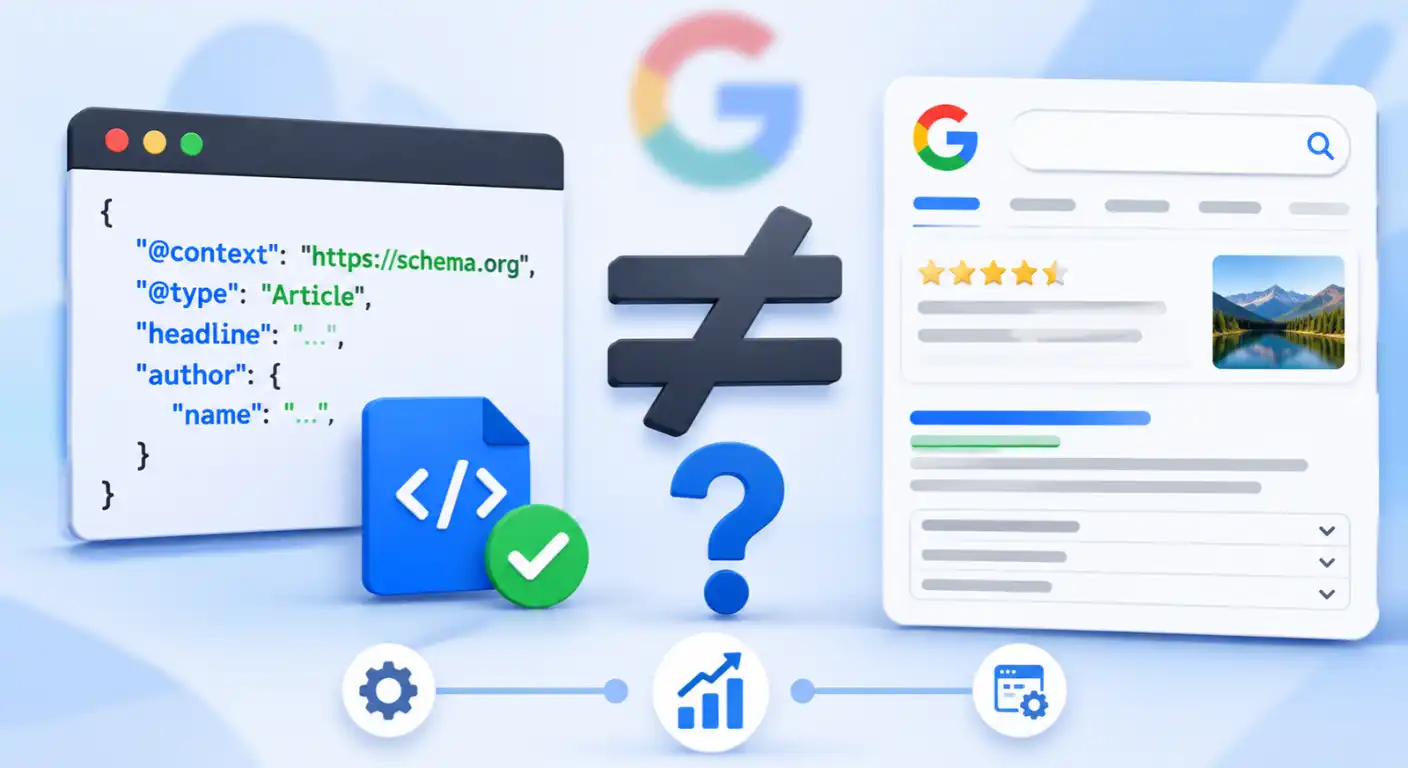

Standard HTML tells browsers how to display your webpage, not what the information actually means. When a search engine crawler parses raw HTML, it has to infer context through natural language processing, guessing whether a string of numbers is a product price, a phone number, or a publication date.
Structured data eliminates that guesswork. By embedding standardized, machine-readable code into your pages, you provide search engines with an explicit translation layer that defines your brand, authors, products, and content hierarchy with mathematical precision.
While schema markup is not a direct Google ranking factor, it serves two mission-critical technical functions: it connects your pages to search engine knowledge graphs through verified entity relationships, and it qualifies eligible URLs for visual SERP enhancements (rich results). Even with Google retiring legacy features like FAQ dropdowns in mid-2026 and streamlining supported rich results, clean structured data remains the foundational communication protocol between modern websites and search engine parsers.
What You Will Learn in This Guide
- Vocabulary vs. Syntax Mechanics: How Schema.org vocabulary and JSON-LD syntax work together, why JSON-LD outperforms Microdata and RDFa, and how entity disambiguation resolves content ambiguity.
- Production-Ready JSON-LD Blueprints: Copy-and-paste code templates for high-impact schema types (
Organization,Person,ProfilePage,Article,BreadcrumbList,Product,LocalBusiness, and updatedVideoObjectproperties), alongside current 2026 rich result eligibility rules. - Unified
@graphArchitecture: How to connect isolated schema blocks into a single relational entity graph using@idURI references. - Validation, Debugging, and Error Resolution: How to use the Google Rich Results Test and Schema.org Validator together, separate critical errors from non-critical warnings, and fix common implementation bugs.
- Spam Policy Compliance and Maintenance at Scale: Avoiding structured data manual actions, automating dynamic JSON-LD across WordPress, Shopify, and Next.js, and understanding why AI Overviews do not require proprietary “AI schema.”
How Structured Data Works: Separating Vocabulary (Schema.org) from Syntax (JSON-LD)
To implement structured data cleanly, you first need to separate what you are describing from how you package that description in your webpage’s source code. Many technical implementations break down because teams confuse the semantic dictionary with the delivery syntax.
Schema.org vs. JSON-LD: Understanding the Dictionary and the Delivery Format
Structured data relies on two independent layers working together: a shared vocabulary and a machine-readable serialization format.
- Schema.org (The Vocabulary): Maintained collaboratively by Google, Microsoft, Yahoo, and Yandex, Schema.org is the universal dictionary of entity types (such as
Article,Product,Organization, andPerson) and their corresponding properties (such asauthor,price,datePublished, andlogo). It defines the standard labels and hierarchical relationships so every search engine interprets a property identically. - JSON-LD (The Syntax): Standing for JavaScript Object Notation for Linked Data, JSON-LD is the formatting syntax used to encode Schema.org terms inside a
<script type="application/ld+json">block.
Think of Schema.org as the English language and JSON-LD as the envelope that delivers the letter to the crawler. You can express the exact same Schema.org vocabulary using alternative formats like Microdata or RDFa, but the underlying semantic meaning remains identical.
Entity Disambiguation: How Search Engines Connect Strings to Real-World Things
Traditional keyword indexing relies on lexical matching; scanning text strings on a page. However, raw text strings are inherently ambiguous. Consider the word “Python” appearing in a technical blog post: without explicit context, a parser must rely on surrounding co-occurring terms to determine whether the page discusses a high-level programming language, a non-venomous constrictor snake, or the British comedy troupe Monty Python.
Structured data resolves this ambiguity through entity disambiguation; converting loose text strings into verified, uniquely identifiable objects inside a search engine’s Knowledge Graph. It accomplishes this using three core mechanisms:
- Explicit Typing (
@type): Declaring@type: "SoftwareApplication"or@type: "ComputerLanguage"immediately eliminates biological or entertainment interpretations. - Unique Node Identifiers (
@id): Assigning a permanent URI (such ashttps://example.com/#author-ahmad) gives the entity a distinct digital fingerprint across your entire domain, preventing crawlers from creating duplicate records when an author writes multiple articles. - External Authority Anchors (
sameAs): Linking your entity directly to authoritative third-party knowledge bases, such as Wikidata (https://www.wikidata.org/wiki/Q28865), Wikipedia, or official social profiles confirms beyond doubt that your string refers to that exact real-world entity.
Why Google Recommends JSON-LD Over Microdata and RDFa
Google officially supports three structured data formats: JSON-LD, Microdata, and RDFa, but explicitly recommends JSON-LD for modern web architectures. The preference comes down to architectural decoupling and DOM stability.
| Technical Dimension | JSON-LD | Microdata | RDFa |
| DOM Integration | Decoupled inside a standalone <script> block in <head> or <body> | Inline HTML attributes (itemscope, itemtype, itemprop) | Inline HTML attributes (vocab, typeof, property) |
| Front-End Fragility | Low. UI redesigns or CSS class changes do not break schema | High. Moving or deleting a <div> breaks nested itemprop trees | High. Tightly coupled to visible HTML layout tags |
Entity Nesting (@graph) | Native support for complex multi-node relationships via @id | Verbose and error-prone when nesting deep entities | Expressive for semantic web apps, but complex for standard SEO |
| Dynamic JS Injection | Easily generated from server data or state objects | Difficult to maintain cleanly across component-based frameworks | Rarely supported natively in modern JS component stacks |
When you use Microdata or RDFa, your semantic markup is woven directly into your visual HTML tags. If a front-end developer refactors a product card layout or removes a wrapper <div>, they can silently sever a nested itemprop relationship without realizing it. JSON-LD isolates your data layer from your presentation layer, allowing engineering teams to generate, audit, and update structured data programmatically from database fields without touching a single line of visual HTML.
Structured Data vs. Rich Results: Why Valid Code Doesn’t Guarantee SERP Features
One of the most persistent misconceptions in technical SEO is treating structured data and rich results as interchangeable terms. In reality, they represent two separate stages in the search pipeline:
- Structured Data (The Input): The underlying JSON-LD code you deploy on your page to describe entities and make your URL eligible for enhanced search features.
- Rich Results (The Visual Output): The enhanced SERP elements such as review stars, product pricing, availability badges, and breadcrumb trails that search engines choose to render for users.
Deploying error-free JSON-LD unlocks eligibility, not a guarantee. Google’s display algorithms evaluate dozens of dynamic variables including search query intent, device type, user location, overall domain quality, and strict compliance with structured data content policies, before deciding whether to render a rich snippet. Even with 100% valid syntax, Google may decide that a standard blue link provides a cleaner user experience for a given query.
Now that the architectural distinction between Schema.org vocabulary, JSON-LD syntax, and rich result eligibility is clear, the next step is putting that theory into production. Let’s look at the specific high-impact schema types that drive measurable search appearance in 2026, complete with clean, copy-and-paste JSON-LD templates and current Google eligibility rules.
Core Schema Markup Types and Production-Ready JSON-LD Templates
Not all schema types carry equal weight in technical SEO. Deploying every obscure type in the Schema.org dictionary creates code bloat and increases parsing friction. Instead, focus on the core entity and content schema types that directly impact search engine knowledge graphs, authority disambiguation, and SERP feature eligibility.
Organization and WebSite Schema: Establishing Brand Identity and Sitelinks
The foundation of any enterprise or professional site begins at the domain root. By defining an Organization entity alongside a WebSite entity, you feed the search engine Knowledge Graph verified brand signals—including official logos, corporate social profiles (sameAs), customer service contact points, and eligibility for a Sitelinks Search Box.
{
  "@context": "https://schema.org",
  "@graph": [
    {
      "@type": "Organization",
      "@id": "https://example.com/#organization",
      "name": "Example Enterprise Corp",
      "url": "https://example.com",
      "logo": {
        "@type": "ImageObject",
        "@id": "https://example.com/#logo",
        "url": "https://example.com/assets/logo.png",
        "caption": "Example Enterprise Corp Logo"
      },
      "sameAs": [
        "https://www.wikidata.org/wiki/Q000000",
        "https://twitter.com/examplecorp",
        "https://www.linkedin.com/company/example-corp"
      ],
      "contactPoint": {
        "@type": "ContactPoint",
        "telephone": "+1-800-555-0199",
        "contactType": "customer service",
        "areaServed": "US",
        "availableLanguage": ["English"]
      }
    },
    {
      "@type": "WebSite",
      "@id": "https://example.com/#website",
      "url": "https://example.com",
      "name": "Example Enterprise",
      "publisher": {
        "@id": "https://example.com/#organization"
      },
      "potentialAction": {
        "@type": "SearchAction",
        "target": "https://example.com/search?q={search_term_string}",
        "query-input": "required name=search_term_string"
      }
    }
  ]
}
Article and BlogPosting Schema: Verifying Authorship and Freshness Signals
For informational content, blogs, and editorial publications, Article (or its specialized subtype BlogPosting) provides crawlers with exact content boundaries. This schema type is critical for establishing author authority, publisher associations, and strict temporal updates.
- Author Disambiguation: Never list an author as a raw text string. Always nest a
Personentity containing a unique@idand asameAslink pointing to the author’s verified professional profile or Wikipedia/Wikidata node. - Timestamps (
datePublishedvs.dateModified): Ensure these fields use exact ISO 8601 formatting with timezones (e.g.,2026-11-13T08:00:00+00:00). Providing misleading or stale modification dates to manipulate freshness signals violates Google’s structured data policies.
{
  "@context": "https://schema.org",
  "@type": "BlogPosting",
  "@id": "https://example.com/blog/technical-seo-guide#article",
  "isPartOf": {
    "@type": "WebPage",
    "@id": "https://example.com/blog/technical-seo-guide"
  },
  "headline": "Technical SEO Guide: Mastering Advanced Crawling and Rendering",
  "description": "An exhaustive technical breakdown of modern crawler behavior, rendering execution, and indexing pipelines.",
  "datePublished": "2026-11-01T09:00:00+00:00",
  "dateModified": "2026-11-13T14:30:00+00:00",
  "author": {
    "@type": "Person",
    "@id": "https://example.com/#author-ahmad",
    "name": "Ahmad Fraz",
    "url": "https://example.com/author/ahmad-fraz",
    "sameAs": [
      "https://www.wikidata.org/wiki/Q000000",
      "https://www.linkedin.com/in/ahmadfraz"
    ]
  },
  "publisher": {
    "@id": "https://example.com/#organization"
  },
  "mainEntityOfPage": "https://example.com/blog/technical-seo-guide"
}
BreadcrumbList Schema: Mapping Site Hierarchy for Clean SERP URL Trails
BreadcrumbList translates your website’s URL hierarchy into clean, navigational breadcrumb trails inside search results, replacing messy raw URL slugs with human-readable category paths. Each navigational step requires an ordered ListItem position integer starting at 1.
{
  "@context": "https://schema.org",
  "@type": "BreadcrumbList",
  "itemListElement": [
    {
      "@type": "ListItem",
      "position": 1,
      "name": "Home",
      "item": "https://example.com"
    },
    {
      "@type": "ListItem",
      "position": 2,
      "name": "Technical SEO",
      "item": "https://example.com/technical-seo"
    },
    {
      "@type": "ListItem",
      "position": 3,
      "name": "Schema Implementation Guide",
      "item": "https://example.com/technical-seo/schema-implementation-guide"
    }
  ]
}
Product and Offer Schema: Qualifying E-Commerce Pages for Merchant Rich Snippets
E-commerce visibility depends entirely on robust Product and nested Offer markup. Google’s merchant listing requirements demand strict precision: missing mandatory fields (such as price currency, product availability, or shipping details) will disqualify your pages from rich product snippets and merchant center features.
{
  "@context": "https://schema.org",
  "@type": "Product",
  "name": "Enterprise SEO Crawler Suite",
  "image": "https://example.com/images/crawler-suite.png",
  "description": "High-performance technical auditing suite for programmatic site architectures.",
  "sku": "SEO-SUITE-01",
  "brand": {
    "@type": "Brand",
    "name": "ExampleTech"
  },
  "offers": {
    "@type": "Offer",
    "url": "https://example.com/pricing",
    "priceCurrency": "USD",
    "price": "299.00",
    "priceValidUntil": "2027-12-31",
    "itemCondition": "https://schema.org/NewCondition",
    "availability": "https://schema.org/InStock",
    "shippingDetails": {
      "@type": "OfferShippingDetails",
      "shippingRate": {
        "@type": "MonetaryAmount",
        "value": "0.00",
        "currency": "USD"
      },
      "deliveryTime": {
        "@type": "ShippingDeliveryTime",
        "handlingTime": {
          "@type": "QuantitativeValue",
          "minValue": 0,
          "maxValue": 1,
          "unitCode": "DAY"
        },
        "transitTime": {
          "@type": "QuantitativeValue",
          "minValue": 0,
          "maxValue": 0,
          "unitCode": "DAY"
        }
      }
    },
    "hasMerchantReturnPolicy": {
      "@type": "MerchantReturnPolicy",
      "applicableCountry": "US",
      "returnPolicyCategory": "https://schema.org/MerchantReturnFiniteReturnWindow",
      "merchantReturnDays": 30,
      "returnMethod": "https://schema.org/ReturnByMail"
    }
  }
}
LocalBusiness Schema: Connecting Physical Locations, NAP Data, and Opening Hours
For businesses operating physical storefronts or service-area footprints, LocalBusiness (or specific subtypes like LegalService, MedicalBusiness, or ProfessionalService) unifies NAP (Name, Address, Phone) consistency, precise geographic coordinates, and operating hours for local search and maps integration.
{
  "@context": "https://schema.org",
  "@type": "ProfessionalService",
  "name": "Fraz Technical SEO Consulting",
  "image": "https://example.com/assets/office.png",
  "@id": "https://example.com/#localbusiness",
  "url": "https://example.com",
  "telephone": "+1-555-839-2831",
  "address": {
    "@type": "PostalAddress",
    "streetAddress": "100 Tech Boulevard, Suite 400",
    "addressLocality": "San Francisco",
    "addressRegion": "CA",
    "postalCode": "94107",
    "addressCountry": "US"
  },
  "geo": {
    "@type": "GeoCoordinates",
    "latitude": 37.774929,
    "longitude": -122.419416
  },
  "openingHoursSpecification": [
    {
      "@type": "OpeningHoursSpecification",
      "dayOfWeek": [
        "Monday",
        "Tuesday",
        "Wednesday",
        "Thursday",
        "Friday"
      ],
      "opens": "09:00",
      "closes": "18:00"
    }
  ],
  "priceRange": "$$$"
}
Review and AggregateRating Schema: Navigating Google’s Self-Serving Review Restrictions
Ratings and reviews can dramatically boost click-through rates, but they are also heavily scrutinized by Google’s spam algorithms.
- The Self-Serving Review Trap: You cannot place
RevieworAggregateRatingmarkup on anOrganizationorLocalBusinesshomepage if those reviews are written by the business about itself, or if they aggregate unverified third-party testimonials without strict independent moderation. - Eligible Use Cases: Review schema should be restricted strictly to specific reviewable items—such as
Product,Recipe,SoftwareApplication, or local businesses meeting rigorous customer review guidelines. Attempting to inject fabricated star ratings on generic landing pages results in immediate manual action and forfeiture of review snippets.
With individual high-impact schema templates defined, isolated blocks often create fragmented data silos. The next step is mastering advanced entity architecture by linking these nodes together into a unified relational @graph.
Advanced Schema Architecture: Connecting Isolated Entities with @graph and @id
Most websites implement structured data as isolated islands. While basic schemas tell a search engine what individual components exist on a URL, enterprise-grade technical SEO requires mapping how those components relate to one another. Connecting your entities into a unified relational graph eliminates structural ambiguity and creates a clear semantic network across your entire domain.
The Problem with Fragmented Schema Blocks on Modern Websites
On a typical WordPress or CMS-driven webpage, different plugins and themes often inject multiple separate <script type="application/ld+json"> blocks into the <head> or <body>. One block for Organization, another for BreadcrumbList, a third for Article, and a fourth for Person.
When structured data is fragmented this way, search engine parsers see four disconnected nodes floating in space rather than a cohesive hierarchy:
- Broken Ownership Signals: The crawler sees an
Articleand anOrganizationon the same URL, but unless they are explicitly linked, it must infer whether the organization published the article, sponsored it, or is simply mentioned in the footer. - Duplicate Entity Creation: Without shared URI identifiers, crawlers treat the
Personobject defined on Blog Post A and thePersonobject defined on Blog Post B as two separate records rather than consolidating topical authority under a single verified author entity. - Redundant Code Bloat: Repeating full organization addresses, logos, and
sameAsarrays inside every nestedpublisherproperty inflates DOM size and creates maintenance nightmares whenever brand details change.
Building a Unified @graph Network Using @id URI References
To solve fragmentation, JSON-LD provides the @graph array combined with @id URI fragments. Think of @id as a primary key in a relational database: you define each entity once with a permanent, globally unique URI (typically your canonical URL appended with a #fragment identifier), and then reference that @id anywhere else in the graph.
Here is how a complete, production-ready @graph connects Organization → WebSite → WebPage → BreadcrumbList → BlogPosting → Person inside a single <script> block:
{
  "@context": "https://schema.org",
  "@graph": [
    {
      "@type": "Organization",
      "@id": "https://example.com/#organization",
      "name": "Example Technical Media",
      "url": "https://example.com/",
      "logo": {
        "@type": "ImageObject",
        "@id": "https://example.com/#logo",
        "url": "https://example.com/assets/logo.png",
        "width": 600,
        "height": 60
      },
      "sameAs": [
        "https://www.linkedin.com/company/example-tech",
        "https://twitter.com/exampletech"
      ]
    },
    {
      "@type": "WebSite",
      "@id": "https://example.com/#website",
      "url": "https://example.com/",
      "name": "Example Technical Media",
      "publisher": {
        "@id": "https://example.com/#organization"
      }
    },
    {
      "@type": "WebPage",
      "@id": "https://example.com/technical-seo/schema-guide/#webpage",
      "url": "https://example.com/technical-seo/schema-guide/",
      "name": "Structured Data & Schema Markup for SEO: Complete Implementation Guide",
      "isPartOf": {
        "@id": "https://example.com/#website"
      },
      "breadcrumb": {
        "@id": "https://example.com/technical-seo/schema-guide/#breadcrumb"
      },
      "mainEntity": {
        "@id": "https://example.com/technical-seo/schema-guide/#article"
      }
    },
    {
      "@type": "BreadcrumbList",
      "@id": "https://example.com/technical-seo/schema-guide/#breadcrumb",
      "itemListElement": [
        {
          "@type": "ListItem",
          "position": 1,
          "name": "Home",
          "item": "https://example.com/"
        },
        {
          "@type": "ListItem",
          "position": 2,
          "name": "Technical SEO",
          "item": "https://example.com/technical-seo/"
        },
        {
          "@type": "ListItem",
          "position": 3,
          "name": "Schema Implementation Guide"
        }
      ]
    },
    {
      "@type": "Person",
      "@id": "https://example.com/#author-ahmad",
      "name": "Ahmad Fraz",
      "url": "https://example.com/author/ahmad-fraz/",
      "jobTitle": "Technical SEO Consultant",
      "worksFor": {
        "@id": "https://example.com/#organization"
      },
      "sameAs": [
        "https://www.linkedin.com/in/ahmadfraz",
        "https://twitter.com/ahmadfrazseo"
      ]
    },
    {
      "@type": "BlogPosting",
      "@id": "https://example.com/technical-seo/schema-guide/#article",
      "isPartOf": {
        "@id": "https://example.com/technical-seo/schema-guide/#webpage"
      },
      "headline": "Structured Data & Schema Markup for SEO: Complete Implementation Guide",
      "datePublished": "2026-11-10T08:00:00+00:00",
      "dateModified": "2026-11-17T10:00:00+00:00",
      "author": {
        "@id": "https://example.com/#author-ahmad"
      },
      "publisher": {
        "@id": "https://example.com/#organization"
      },
      "mainEntityOfPage": {
        "@id": "https://example.com/technical-seo/schema-guide/#webpage"
      }
    }
  ]
}
How the Relational Chain Works in This Graph:
- Root Brand Anchor (
#organization): Defined once at the top. Both#website(publisher) and#author-ahmad(worksFor) point directly back to it without repeating company details. - Page-to-Site Binding (
#webpage): Connects the individual URL to the overarching#websiteviaisPartOfand declares the#articleas itsmainEntity. - Authorship Consolidation (
#author-ahmad): Linked to the#articleviaauthor. Because the@idremains identical across every post Ahmad writes, search engines consolidate every article into a single verified author profile. - Clean Node References: Notice that when referencing an existing node (such as
"publisher": { "@id": "[https://example.com/#organization](https://example.com/#organization)" }), you do not need to redeclare@type—the parser automatically resolves the full node definition from its matching@idinside the@grapharray.
Once your relational @graph architecture is built and deployed into your page templates, the next critical phase is verifying that search engine crawlers can parse it without syntax errors, policy conflicts, or rendering delays. Let’s walk through how to test, debug, and fix structured data issues in production.
How to Validate, Debug, and Fix Common Structured Data Errors
Even a single misplaced comma or conflicting plugin script can invalidate an entire JSON-LD block. Before pushing structured data into production or when troubleshooting a sudden drop in SERP enhancements inside Google Search Console, you need a systematic validation workflow that catches both syntax failures and policy conflicts.
Google Rich Results Test vs. Schema.org Validator: Which Tool Catches What?
Relying on a single testing tool often leaves blind spots because Google’s validator and the official Schema.org validator evaluate different rule sets. You should run every template through both tools during QA:
| Testing Dimension | Google Rich Results Test | Schema.org Validator (Schema Markup Validator) |
| Primary Purpose | Tests eligibility for Google-supported SERP rich features (Product, Article, Breadcrumb, LocalBusiness, VideoObject). | Tests pure JSON-LD/Microdata syntax and full compliance against the entire Schema.org vocabulary. |
| Unsupported Google Types | Ignores valid Schema.org types that Google does not render as rich results (e.g., Service or retired types). | Parses and validates every Schema.org type and property, including @graph node relationships. |
| Rendering Execution | Renders live JavaScript using Googlebot’s headless Chromium engine (smartphone or desktop user-agent). | Parses raw HTML and inline JSON-LD directly; does not execute complex client-side JS bundles. |
| Policy & Required Fields | Flags missing required properties needed for Google SERP enhancements (e.g., missing price or availability on Offer). | Only flags structural or data-type violations (e.g., passing a text string where an Integer is expected). |
The Rule of Thumb: Use the Schema.org Validator first to confirm your JSON syntax, @graph nesting, and entity types are structurally sound. Then run the Google Rich Results Test to confirm Googlebot can render the script and qualify the page for active SERP features.
Critical Errors vs. Non-Critical Warnings: Deciding What Actually Needs Fixing
When you inspect URLs in the Google Rich Results Test or Google Search Console’s Enhancements reports, issues are divided into two severity tiers. Treating them equally wastes engineering sprints.
- Critical Errors (Red – Must Fix Immediately): An error indicates that a mandatory property is missing, a value format is invalid (e.g., a malformed ISO 8601 date), or the JSON cannot be parsed. Impact: Google completely disqualifies the item from rich result eligibility. While critical schema errors do not directly demote your organic rankings, they strip away your visual SERP enhancements.
- Non-Critical Warnings (Yellow – Optional Enhancements): A warning means your structured data is valid and eligible for rich results, but you omitted a recommended property (such as
shippingDetails,priceValidUntil, oraggregateRatingwhen a new product has zero reviews yet). Impact: Your page still qualifies for basic rich snippets. Fix warnings when the underlying data genuinely exists on the page, but never fabricate missing values just to turn yellow badges green.
Troubleshooting and Fixing the 5 Most Common Schema Implementation Bugs
When schema breaks in production, the root cause almost always falls into one of five technical failure patterns. Here is how to diagnose and resolve each one:
1. Syntax and Parsing Failures
- The Symptom: Google Rich Results Test reports “Parsing error: Missing ‘,’ or ‘}’ in object literal” or fails to detect any structured data block at all.
- The Root Cause: Trailing commas after the final property in an array or object (valid in JavaScript, strictly invalid in JSON), unescaped double quotes (
") inside string descriptions, or unclosed curly braces{}. - The Fix: Never concatenate JSON strings manually in PHP, Liquid, or JavaScript templates. Always build a native associative array or object in your backend code and serialize it using native encoders (
json_encode()in PHP,JSON.stringify()in JavaScript, or the| jsonfilter in Shopify Liquid) so special characters and quotes are automatically escaped.
2. Visible Content Mismatches
- The Symptom: Schema validates cleanly in testing tools, yet rich snippets disappear from SERPs or trigger a Google Search Console warning.
- The Root Cause: The values inside your JSON-LD contradict what a human user sees in the rendered HTML. For example, JSON-LD lists a product price as
$199.00while the visible page displays$249.00, or the schema marks an itemInStockwhen the webpage displays “Sold Out.” - The Fix: Bind both your visible HTML template and your JSON-LD variables to the exact same database object or state source. When inventory or pricing updates in your database, both layers must update simultaneously.
3. Duplicate Schema Collisions
- The Symptom: Testing tools detect two separate
Articleblocks, two conflictingOrganizationentities, or duplicateBreadcrumbListtrees on the same URL. - The Root Cause: An SEO plugin (such as Yoast SEO or Rank Math) outputs its default
@graphschema while a theme template, WooCommerce extension, or custom Google Tag Manager script injects a second overlapping schema block. - The Fix: Audit the rendered DOM (
Ctrl + Uor DevTools Elements tab) for all occurrences ofapplication/ld+json. Disable duplicate module outputs in your theme or secondary plugins, or use your primary SEO plugin’s PHP filters (e.g.,wpseo_schema_graphin Yoast orrank_math/json_ldin Rank Math) to extend a single unified graph rather than injecting standalone scripts.
4. Broken @id References or Invalid Nesting
- The Symptom: Schema.org Validator shows orphaned entities floating outside your main
@graph, or Google fails to associate anauthororpublisherwith yourBlogPosting. - The Root Cause: Typographical mismatches between
@iddeclarations (e.g., defining"@id": "(https://example.com/#organization)"with a trailing slash in one node and referencing"(https://example.com)#organization"without it in another), or placing child properties outside their parent@typebrackets. - The Fix: Standardize your
@idURI convention across all templates (strictly enforcing protocol, domain, trailing slash, and#fragmentnaming) and verify in the Schema.org Validator tree view that every nested object collapses cleanly under a single top-level entity.
5. JavaScript Rendering Delays
- The Symptom: The Schema.org Validator finds zero schema on a URL, or Google Search Console shows intermittent drops in rich result detection on React, Angular, or Vue applications.
- The Root Cause: JSON-LD is injected client-side via an asynchronous API call (
fetchoruseEffect) that resolves after Googlebot’s Web Rendering Service (WRS) takes its DOM snapshot, or via a third-party tag manager delayed by user-interaction triggers. - The Fix: Render your
<script type="application/ld+json">blocks on the server via Server-Side Rendering (SSR) or Static Site Generation (SSG) so the complete JSON-LD payload is present in the initial HTML response before JavaScript hydration even begins.
Resolving technical syntax and rendering errors keeps your structured data valid—but valid code alone is not enough if your markup violates Google’s content guidelines. Next, let’s examine Google’s structured data spam policies and how to protect your site from manual actions.
Google’s Structured Data Spam Policies and Manual Action Prevention
Syntactically valid JSON-LD will pass every automated testing tool, yet still get your site penalized if the underlying claims violate Google’s Structured Data Spam Policies. Unlike algorithmic filters that quietly ignore low-value markup, policy violations trigger human-reviewed Structured Data Manual Actions inside Google Search Console, stripping rich result eligibility across specific templates or your entire domain.
Practices That Trigger Structured Data Manual Actions
Google’s quality guidelines revolve around a single core rule: structured data must be a truthful, accurate representation of the primary content visible to a human user on that exact URL. Attempting to game SERP appearance through deceptive markup typically triggers penalties across four high-risk patterns:
- Marking Up Invisible or Hidden Content: Placing properties inside your JSON-LD block that do not appear anywhere in the rendered HTML body. Examples include stuffing hidden keywords into
descriptionfields, addingReviewtext inside JSON-LD that users cannot read on the page, or marking up products and prices behind login walls or unrendered accordions. - Fabricating or Manipulating
AggregateRatingScores: Hardcoding fake 5-star ratings into templates, cherry-picking only positive reviews while excluding negative feedback from the average calculation, or placing self-serving review markup onOrganizationorLocalBusinesshomepages where the business controls the testimonials. - Applying Irrelevant or Misleading Schema Types: Wrapping a standard informational blog post or service landing page in
Product,Recipe, orSoftwareApplicationschema solely to force star ratings or pricing badges onto a non-commercial SERP listing. - Site-Wide Markup on Specific Item Types: Placing
RevieworProductmarkup on a category archive page or site-wide footer template rather than on the dedicated single-item page where that specific product or review actually resides.
Important Distinction: Receiving a Structured Data Manual Action revokes your site’s ability to display rich results in Google Search, but it does not directly demote your standard organic rankings unless accompanied by a separate core web spam penalty. However, losing visual SERP enhancements on commercial queries can severely impact click-through rates.
How to Audit and Recover from a Manual Action in Google Search Console
If your team inherits a legacy website with aggressive markup or receives a “Structured data issue” notification in Google Search Console, follow this four-step recovery protocol:
- Isolate the Scope in Search Console: Open Security & Manual Actions → Manual actions in Google Search Console. Expand the violation notice to see whether the penalty affects specific URL patterns (e.g.,
/products/*or/services/*) or is flagged as Site-wide, along with the sample offending URLs Google’s reviewers cited. - Crawl and Audit Templates at Scale: Do not rely solely on the 2–3 sample URLs shown in GSC. Run a full site crawl using Screaming Frog or Sitebulb with custom JSON-LD extraction enabled to locate every template outputting the violating schema type or mismatched property across your entire domain.
- Strip or Reconcile the Violating Markup: Remove deceptive, irrelevant, or self-serving schema blocks entirely from your page templates. If keeping valid schema (such as
ProductorAggregateRating), verify 1:1 parity between the rendered DOM text and your JSON-LD values, then confirm zero critical errors in the Google Rich Results Test. - Submit a Detailed Reconsideration Request: Once the clean templates are deployed live and caches are purged, click Request Review inside the Manual Actions report. Document the exact root cause (e.g., “Removed self-serving AggregateRating schema from all
/services/templates and synchronized Product offer prices with live inventory”), confirm that the fix was applied site-wide, and allow 1 to 3 weeks for Google’s webspam team to review and lift the restriction.
Maintaining strict policy compliance keeps your site safe from manual penalties, but keeping that markup accurate across thousands of dynamic URLs requires automation rather than manual edits. Next, let’s look at how to deploy and maintain structured data at scale across modern CMS and JavaScript tech stacks.
Deploying and Maintaining Schema Markup at Scale Across Common Web Platforms
Hardcoding static JSON-LD script tags directly into HTML files is manageable for a small, five-page brochure site, but it becomes an unsustainable maintenance trap on enterprise domains with thousands of dynamic products, blog posts, or localized service pages. When inventory prices change, authors are reassigned, or article URLs are restructured, manual JSON-LD maintenance inevitably leads to broken references, stale data, and policy penalties.
Scaling structured data requires moving away from static copy-pasting and toward automated, template-driven JSON-LD generation tied directly to your underlying CMS database or component state objects.
Dynamic Schema Injection in WordPress, Shopify, and Custom Frameworks (Next.js / React)
Modern tech stacks offer native mechanisms to generate valid, data-bound JSON-LD script tags dynamically on the server side:
WordPress (PHP / SEO Plugins & Custom Hooks)
- Avoid relying entirely on out-of-the-box SEO plugin defaults if your site uses custom post types or complex author taxonomy.
- Use native programmatic filters (such as
wpseo_schema_graphin Yoast SEO orrank_math/json_ldin Rank Math) to tap into the post object, extract custom custom fields (ACF), and inject your unified@grapharray dynamically into the header hook.
Shopify (Liquid Templates & Metafields)
- Leverage Shopify’s Liquid templating engine to pull real-time store variables into your
ProductandOfferschema blocks. - Map variant IDs, live pricing (
product.selected_or_first_available_variant.price), inventory stock status, and custom metafield specifications directly inside<script type="application/ld+json">tags placed within yourtheme.liquidormain-product.liquidsections.
Next.js & Modern React Frameworks (SSR / SSG)
- Never inject structured data purely via client-side
useEffecthooks, as crawlers may take their DOM snapshot before the asynchronous data fetch resolves. - Construct your JSON-LD object server-side using
getStaticProps,getServerSideProps, or Next.js App Router Server Components (page.tsx), and render the payload safely inside a standard script tag:
export default async function BlogPostPage({ params }) {
  const post = await fetchPostData(params.slug);

  const jsonLd = {
    "@context": "https://schema.org",
    "@type": "BlogPosting",
    "headline": post.title,
    "datePublished": post.publishedAt,
    "author": {
      "@type": "Person",
      "name": post.authorName
    }
  };

  return (
    <>
      <script
        type="application/ld+json"
        dangerouslySetInnerHTML={{ __html: JSON.stringify(jsonLd) }}
      />
      {/* Page visual markup */}
    </>
  );
}
Preventing Schema Drift Through Automated QA and Release Checks
Even with automated template injection, schema drift occurs silently over time when front-end engineers refactor CSS classes, database administrators alter product schemas, or CMS updates overwrite custom filters. To catch breaking changes before they hit production, embed structured data validation directly into your deployment pipeline:
- Pre-Commit and CI/CD Linting: Use automated testing scripts (such as Node.js packages like
schema-dtsor custom Jest unit tests) during your GitHub Actions or GitLab CI/CD builds to validate JSON-LD payload syntax against official TypeScript type definitions whenever pull requests touch template files. - Automated Post-Deployment Crawls: Schedule weekly automated crawls using technical SEO auditing tools (such as Screaming Frog’s command-line interface or Sitebulb’s API) against your staging and production environments. Configure custom extraction rules to flag any URLs where JSON-LD scripts return parsing errors, missing mandatory properties, or content mismatches.
- Google Search Console Monitoring: Regularly inspect the Enhancements and Security & Manual Actions tabs in GSC. Set up email alerts for sudden spikes in critical parsing errors so your engineering team can remediate broken templates before Google drops your rich results.
With validation workflows, spam policy defense, and enterprise-grade scale deployment established, let’s address the modern search landscape: how Google’s generative AI systems process structured data.
Structured Data in the Era of AI Search: Do AI Overviews and AI Mode Require Special Schema?
As search engines evolve into generative, conversational discovery engines like Google’s AI Overviews and AI Mode, the SEO industry is frequently inundated with new acronyms, proprietary markup claims, and agency myths. Among the most pervasive is the narrative that ranking inside generative AI results requires implementing special “AI schema,” hidden conversational tags, or custom LLM-specific metadata.
From a rigorous technical standpoint, this is entirely false. Generative AI search features do not require or parse any proprietary AI-specific vocabulary.
Debunking the “AI Schema” Myth: Why No Special Markup Is Required
Google’s official Search Central documentation for generative AI optimization consistently reiterates a foundational principle: AI search experiences rely on the exact same core crawler infrastructure, rendering pipelines, and indexing signals as traditional web search.
- No Proprietary “AI Tags”: There is no hidden property in the Schema.org vocabulary or Google’s parsing rules designated for generative summaries, LLM prompts, or AI Overviews.
- The Retirement of Legacy Fallacies: In mid-2026, as Google phased out FAQ rich results and streamlined supported structured data types, it reaffirmed that stuffing informational pages with artificial
FAQPageorHowTomarkup does not grant preferential treatment in generative AI summaries. - Standard Protocols Prevail: AI retrieval systems ingest your pages using standard HTML text extraction and structured JSON-LD entity graphs. If your content is cleanly indexed and semantically structured, it is already fully optimized for AI-driven search features without adding a single line of experimental code.
How Standard JSON-LD Supports Machine Understanding Without Extra Markup
While generative AI models rely heavily on Large Language Models (LLMs) to synthesize natural language answers, they anchor their factual citations in structured data entity networks. Standard JSON-LD provides the definitive reference points that automated retrieval systems use to verify real-world facts:
- Disambiguating Facts and Entities: When an AI model compiles an answer about a brand, product, or software framework, it relies on
@graphconnections (Organization,Person,Product,Article) to confirm relationships. For example, knowing precisely whichPersonauthored an article prevents hallucinated attributions. - External Authority Anchors via
sameAs: Properties likesameAslink your entities directly to verified knowledge bases (such as Wikidata or Wikipedia entries), allowing retrieval-augmented generation (RAG) pipelines to cross-reference facts with high mathematical confidence. - Machine-Readable Pricing and Specs: For e-commerce and technical guides, structured
Offerarrays, exact numeric prices, and standardized currency codes ensure that AI-driven comparative queries surface accurate data rather than guessed or outdated string values.
Content-to-Schema Parity: Why Visible HTML Still Rules Over Hidden JSON-LD
A common technical misconception is that because AI models consume machine-readable code, you can bypass traditional copywriting by stuffing complex truths or keyword definitions exclusively inside hidden JSON-LD blocks.
- Visible HTML is the Source of Truth: AI retrieval systems and generative summarization engines evaluate the rendered on-page HTML as their primary source of truth. JSON-LD is strictly a reinforcement mechanism, it translates and clarifies what is already clearly articulated in your visible paragraphs, headings, and tables.
- Zero Trust for Hidden Discrepancies: If your JSON-LD claims an article was written by a verified industry expert or lists a product specification that does not appear anywhere in the visible DOM text, AI scrapers and quality algorithms will flag the discrepancy as misleading markup.
- The Golden Rule of AI Readiness: Schema markup never replaces high-quality, expert-led on-page content; it merely provides the semantic glue that helps machine parsers index and cite that content with absolute precision.
Conclusion
Structured data is no longer an optional SEO add-on, it is the foundational communication layer that translates your brand, products, and expertise into machine-readable entities search engines can verify with confidence. While valid JSON-LD will not bypass core ranking signals or guarantee visual rich snippets on every query, connecting your pages through a clean, server-rendered @graph architecture eliminates ambiguity, protects your domain from spam penalties, and ensures your content remains accurately represented across both traditional SERPs and modern AI-driven search experiences.
Audit your existing templates, strip out bloated or conflicting markup, and treat structured data as a core part of your ongoing technical infrastructure rather than a one-time setup.
Need Help Auditing or Implementing Custom Schema Architecture?
Deploying clean, connected JSON-LD across dynamic templates without triggering plugin conflicts or validation errors takes careful technical execution. If you want a second pair of eyes on your current site setup or need custom entity modeling built into your templates, explore my dedicated Schema Markup Services and broader Technical SEO Services. Or if you have a specific implementation challenge or architectural question, feel free to get in touch directly to discuss your setup.
Frequently Asked Questions About Structured Data and Schema Markup
Will adding schema markup immediately boost my Google rankings?
No. Schema markup is not a direct Google ranking factor. Adding it will not automatically push a page from position ten to position one. Instead, structured data helps search engines accurately understand your brand, products, and content entities while qualifying eligible pages for visual SERP enhancements (such as star ratings, product pricing, and breadcrumbs). Those enhanced search listings typically increase click-through rates (CTR) and drive higher-intent organic traffic.
How long does it take for rich snippets to appear in Google Search after implementing schema?
Once you deploy valid JSON-LD and Googlebot recrawls your updated URL, rich snippets can appear anywhere from a few days to a few weeks. However, passing validation tools only makes your page eligible, Google’s display algorithms dynamically decide whether to show rich results based on search query intent, device type, and overall domain trust.
Do I need a developer to add schema markup, or can a WordPress plugin handle it?
For standard blogs, local businesses, and basic WooCommerce stores, established SEO plugins like Yoast SEO or Rank Math handle foundational schema (`Organization`, `Article`, `BreadcrumbList`, and basic `Product` markup) automatically without custom code. However, if you run a custom web application (Next.js/React), manage complex multi-location enterprises, or need interconnected `@graph` entity architectures without plugin bloat, custom developer implementation is strongly recommended.
Should I remove `FAQPage` or other retired schema types from my existing pages?
No. Following Google’s 2025–2026 retirement of `FAQPage` dropdowns and seven other legacy rich result features, keeping valid Schema.org markup in your source code does not harm your organic rankings or trigger penalties. Google simply ignores unsupported rich result types when rendering search results while still using valid entities for general semantic understanding. Only remove markup if it violates Google’s spam policies or generates JSON syntax errors.
Do critical structured data errors hurt my standard organic search rankings?
No. A critical red error in the Google Rich Results Test or Google Search Console’s Enhancements report only disqualifies that specific URL from displaying visual SERP enhancements. It does not act as an algorithmic ranking demotion or prevent the underlying webpage from being crawled and indexed normally.
Is deploying structured data via Google Tag Manager (GTM) safe for SEO?
Google officially discourages injecting structured data through Google Tag Manager. GTM relies on client-side JavaScript execution, which forces Googlebot to queue the page for full Web Rendering Service (WRS) processing before discovering your markup, introducing indexing delays and intermittent validation drops. Always output `<script type=”application/ld+json”>` blocks directly in your initial server-rendered HTML response (`<head>` or `<body>`).
Do ‘@id’ URI fragments need to resolve to a live webpage, and how do SPAs prevent schema collisions?
An @id value (such as `https://example.com/#organization`) acts strictly as a unique database-style node identifier, not a clickable hyperlink. It does not need to resolve to a standalone URL, provided the URI string remains identical across your domain. In Single Page Applications (React or Vue), always generate JSON-LD via Server-Side Rendering (SSR) or use a head-management library (`react-helmet-async` or Next.js Metadata APIs) so stale `<script>` tags unmount cleanly during client-side route transitions.
Explore Other Articles Under Technical SEO Side
External References
- Google Search Central – Introduction to Structured Data
- Schema.org – Structured Data Vocabulary
- Google Search Central – Structured Data General Guidelines
- Google Rich Results Test
- Google Search Central – Organization Structured Data
- Google Search Central – Breadcrumb Structured Data
- Google Search Central – Local Business Structured Data