
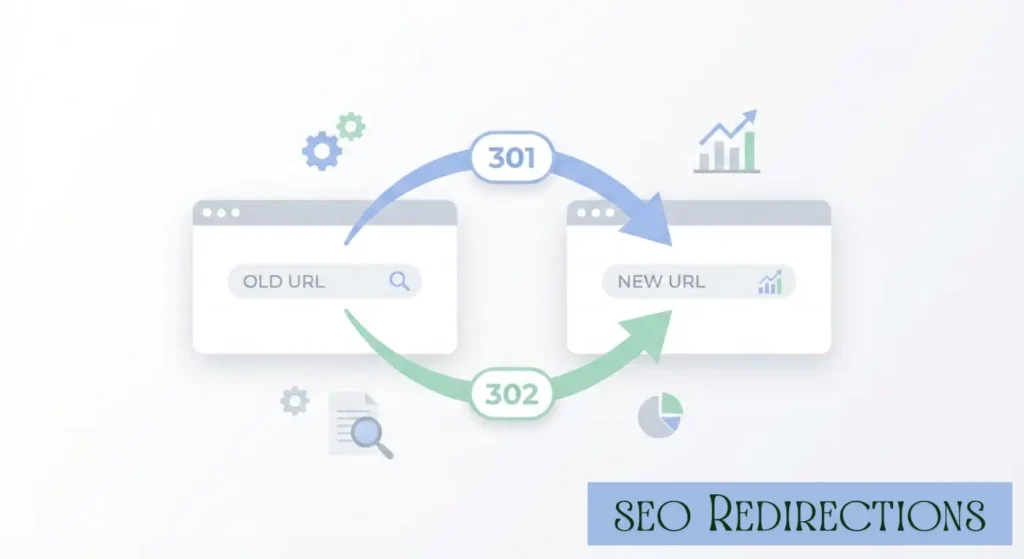
If you run a website long enough, you will eventually move pages, delete content, change URLs, migrate domains, or switch to HTTPS. And every single one of those actions involves one thing: SEO redirects.
Done right, redirects protect your rankings, preserve link equity, and help search engines understand your site structure.
Done wrong, they quietly destroy traffic.
This mini guide breaks down everything you need to know about the technical SEO more complex part ‘SEO redirects’. That includes permanent vs temporary redirects, when to use 301 or 302, how redirects affect rankings, and the mistakes that cause traffic drops.
What Are SEO Redirects?
SEO redirects are instructions that automatically send users and search engines from one URL to another.
When someone visits:
example.com/old-page
A redirect can send them to:
example.com/new-page
From an SEO perspective, redirects do more than move traffic. They signal to search engines:
- Whether a page has permanently moved
- Whether the change is temporary
- Where ranking signals and backlinks should flow
- How your site structure has changed
That is why redirects and SEO are tightly connected. Every redirect affects crawling, indexing, and ranking.
Why SEO Redirects Matter for Rankings
Search engines treat redirects as signals.
When configured correctly, SEO redirects:
- Preserve link equity from backlinks
- Maintain keyword relevance
- Help Google update its index
- Prevent 404 errors
- Protect user experience
When misconfigured, they can:
- Break ranking signals
- Waste crawl budget
- Create redirect chains
- Confuse search engines
- Cause ranking drops
SEO and redirects are not just technical details. They directly influence visibility.
Types of SEO Redirects Explained
Not all redirects are equal. Understanding the difference is critical.
301 Redirects (Permanent Redirects)
A 301 redirect tells search engines that a page has permanently moved.
This is the most common and safest redirect type for SEO.
301 redirects SEO impact:
- Pass most link equity
- Transfer ranking signals
- Update Google’s index to the new URL
Use 301 when:
- Migrating to a new domain
- Switching HTTP to HTTPS
- Changing URL structure
- Merging pages
- Deleting content permanently
If the change is permanent, use a 301. Simple.
302 Redirects (Temporary Redirects)
A 302 redirect tells search engines that the move is temporary.
Search engines may keep the original URL indexed.
302 redirects SEO impact:
- May not fully transfer ranking signals
- Signal temporary change
- Useful for short-term situations
Use 302 when:
- Running seasonal promotions
- A/B testing pages
- Temporarily removing content
- Maintenance windows
If the page will come back, 302 makes sense.
307 and 308 Redirects
These are modern HTTP equivalents.
- 307 = Temporary redirect
- 308 = Permanent redirect
From an SEO perspective, they function similarly to 302 and 301. However, most SEO implementations still rely on 301 and 302 for clarity and compatibility.
If 301 and 302 Exist, Why Do We Need 307 and 308?
Short answer:
Because 301 and 302 were messy in practice.
Long answer:
It comes down to HTTP method handling and technical precision.
Let’s break it down in normal human language.
The Problem With 301 and 302
Originally:
- 301 = Permanent redirect
- 302 = Temporary redirect
Simple, right? Not really.
Over time, browsers started changing the HTTP request method during redirects.
Example:
If a user submits a form using:
POST Method
and you use a 302 redirect, many browsers convert that POST request into a:
GET Method
That can break functionality.
So while 302 meant “temporary,” in reality it sometimes changed how the request behaved.
That created inconsistency.
Entry of 307 and 308
To fix that confusion, HTTP introduced:
- 307 Temporary Redirect
- 308 Permanent Redirect
These were designed to be strict and predictable.
Here’s the key difference:
307 and 308 DO NOT change the HTTP method
If the original request was POST, it stays POST.
That makes them safer for:
- Form submissions
- APIs
- Payment flows
- Application-level redirects
So When Should You Use 307?
Use 307 when:
- The redirect is temporary
- You must preserve the request method
- You are dealing with form submissions or API calls
For normal SEO page redirects? 302 is usually fine.
When Should You Use 308?
Use 308 when:
- The redirect is permanent
- You must preserve the HTTP method
- You are building modern applications
For traditional website migrations? 301 works perfectly.
From an SEO Perspective
For SEO redirects:
- Google treats 301 and 308 similarly (permanent signals)
- Google treats 302 and 307 similarly (temporary signals)
So in ranking terms:
301 ≈ 308
302 ≈ 307
The difference is more technical than SEO-driven.
Why Most SEO Guides Ignore 307 and 308
Because:
- Most SEO use cases involve simple URL changes
- HTTP method preservation rarely matters for static pages
- 301 and 302 are widely supported and easier to implement
That’s it. Let’s come back to the main topic.
Meta Refresh and JavaScript Redirects
These are client-side redirects.
They are less reliable for SEO because:
- Search engines may treat them inconsistently
- They can delay crawling
- They weaken user experience
For strong SEO redirects, always prefer server-side redirects.
What Are Server-Side Redirects?
Server-side redirects are redirects that happen at the server level before a page loads in the user’s browser.
When someone requests a URL:
- The browser sends a request to the server
- The server responds with a redirect status code
- The browser is immediately sent to a different URL
All of this happens before any page content loads.
How Server-Side Redirects Are Different from Client-Side Redirects
Now here’s where the real difference lies.
Server-Side Redirects
- Executed by the server
- Use HTTP status codes
- Fast and reliable
- Strong SEO signals
- Best for preserving rankings
Examples:
301, 302, 307, 308
Client-Side Redirects
These happen inside the browser after the page starts loading.
Common types:
- Meta refresh redirects
- JavaScript redirects
Do Redirects Hurt SEO?
Redirects themselves do not hurt SEO.
Bad redirects hurt SEO.
Here’s when redirects damage rankings:
- Using 302 instead of 301 during migrations
- Creating redirect chains (Page A → Page B → Page C)
- Redirect loops
- Redirecting unrelated content
- Sending all deleted pages to homepage
- Not updating internal links
A single redirect is fine.
Five chained redirects waste crawl budget and dilute signals.
Search engines prefer clean, direct paths.
What is the Best Type of Redirect for SEO? - Real Scenarios
Let’s remove confusion.
Here’s how redirects and SEO decisions work in practice:
Scenario | Best Redirect Type |
Domain migration | 301 |
HTTP to HTTPS | 301 |
URL restructuring | 301 |
Seasonal sale page | 302 |
A/B testing | 302 |
Temporarily out-of-stock page | 302 |
Permanently deleted product | 301 to relevant category |
The best type of redirects for SEO depends on intent. Permanent change equals permanent redirection.
Redirect Chains, Loops, and Crawl Budget
What is a redirect chain?
Page A → Page B → Page C
Each step forces Googlebot to crawl again.
Too many hops:
- Slow crawling
- Waste crawl budget
- Delay indexing
- Reduce ranking efficiency
Best practice: No more than one hop.
What is a redirect loop?
Page A → Page B → Page A
Search engines stop crawling.
This kills SEO performance.
Always test redirects before deployment.
SEO Redirect Audit Checklist
If you want to protect rankings, follow this checklist:
- Ensure permanent changes use 301 redirects
- Avoid redirect chains
- Remove redirect loops
- Update internal links to final URLs
- Update XML sitemaps
- Preserve keyword intent when redirecting
- Never redirect everything to homepage
- Monitor coverage report in Google Search Console
- Use tools like Screaming Frog or Ahrefs to SEO audit
Most ranking losses happen because site owners skip this step.
How to Implement SEO Redirects?
Implementation depends on your platform.
Apache (.htaccess)
Use the 301 redirect rule.
Nginx
Use rewrite or return directive.
WordPress
Use trusted redirect plugins or server configuration.
Shopify
Use built-in URL redirect manager.
Always test after implementation using a header checker.
Common Redirect Mistakes That Kill Rankings
These mistakes show up repeatedly in SEO audits:
- Using 302 instead of 301 during site migration
- Redirecting expired content to homepage
- Not mapping old URLs correctly
- Leaving broken internal links
- Stacking multiple redirects
- Forgetting mobile version redirects
- Ignoring canonical conflicts
SEO redirects require planning, not guessing.
Redirects vs Canonical Tags
Many confuse these.
Redirect: User and search engine are sent to a new page.
Canonical: Original page stays live, but you suggest preferred version.
If content is permanently moved, use a redirect.
If duplicate content exists, use canonical.
Different tools. Different signals.
FAQs About SEO Redirects
No. Poorly configured redirects hurt SEO.
Yes, they transfer ranking signals to the new URL.
Generally not fully. They signal temporary intent.
Only as long as the change is temporary. Otherwise switch to 301.
If change is permanent, 301 is better for SEO. If temporary, 302.
Final Thoughts: SEO Redirects Done Right
SEO redirects are not just technical settings. They shape how search engines understand your website.
If you:
- Choose the correct redirect type
- Avoid chains and loops
- Preserve keyword relevance
- Audit regularly
- Map URLs strategically
Redirects will protect and even strengthen your rankings.
Ignore them, and traffic quietly disappears.
Ahmad Fraz is a seasoned SEO strategist and digital marketing expert with over 9 years of experience helping brands like Dyson, 3M, Marriott, and CureMD achieve measurable growth. Specializing in technical SEO, content strategy, and data-driven optimization, at Ahmad Fraz SEO, he empowers businesses of all sizes to improve visibility, drive qualified traffic, and achieve long-term digital success. His insights and actionable strategies are backed by years of hands-on experience and proven results.